

Why DATEV
DATEV is the cooperative of the German tax professions and the software many tax advisors in Germany use for bookkeeping. So that your invoices and receipts do not have to be typed in again there, there is the DATEV format: an openly documented interface through which other programs hand over entries and master data. The files follow the pattern EXTF_ and end in .csv. In DATEV they are read in through batch processing.
For you this means: the cleaner the export, the fewer questions and the less work your tax advisor bills you for.
What to settle first
You get three details from your tax advisor. They appear in the header of every DATEV file:
- Consultant number (Beraternummer): your tax advisor’s number at DATEV, four to seven digits.
- Client number (Mandantennummer): your number with them, one to five digits.
- Chart of accounts: SKR03 or SKR04. Both assign the same transactions to differently numbered accounts. SKR03 follows the flow of the business, SKR04 the structure of the annual accounts. Your tax advisor decides which one, not you.
On top of that comes the start of your business year, for self-employed people with an EÜR usually 1 January. An entries file always covers a period within one business year.
What the entries file contains
The entries file (Buchungsstapel) starts with a header line: format identifier, consultant and client number, business year, period and chart of accounts. Below it comes a line with the column names and then one line per entry. The main columns:
| Column | Content |
|---|---|
| Umsatz | the amount, always positive |
| Soll/Haben-Kennzeichen | S or H, the side the account is on |
| Konto and Gegenkonto | for example bank and revenue account |
| BU-Schlüssel | the tax key from which DATEV derives VAT or input tax |
| Belegdatum | day and month of the receipt |
| Belegfeld 1 | usually the invoice number, so entry and receipt can be matched |
| Buchungstext | a short description |
There is also master data, such as the customer master data: your customers with name and address, so that open items in DATEV are linked to a name.
What matters is that entry and receipt fit together. If the invoice number is in Belegfeld 1 and the receipt carries the same number, your tax advisor finds the matching document for every entry. An entries file covers only the period you chose. If you export the same period a second time, check with your tax advisor first whether they replace the old file. That way no entry ends up in their books twice.
The receipts that go with it
The entries file contains no receipts, only their data. You hand over the receipts themselves separately:
- as files in a package, for example as a ZIP or in a shared folder,
- through DATEV Upload Mail: your tax advisor gives you an upload address. Receipts as PDF or TIFF then land directly in their receipt management. DATEV only accepts emails from sender addresses they have approved.
- as DATEV XML with receipt images, if your tax advisor works with DATEV Unternehmen online.
Ask once which way they prefer and then set it up for good.
One package per period
A fixed package per month or quarter has proven itself, in step with your VAT return. Before the handover, check:
- Does every receipt have a file? Is every receipt confirmed?
- Are there gaps in the invoice numbers? Is the reason recorded?
- Is every bank transaction matched to a receipt, an invoice or a category?
- Are bank statements missing for a month?
Whatever comes up after the handover you send on its own instead of sending the whole package again. Keep every version you handed over. In a tax audit the tax office can ask for your data in a machine-readable format (§ 147 Abs. 6 AO). The retention periods also apply to what you handed over.
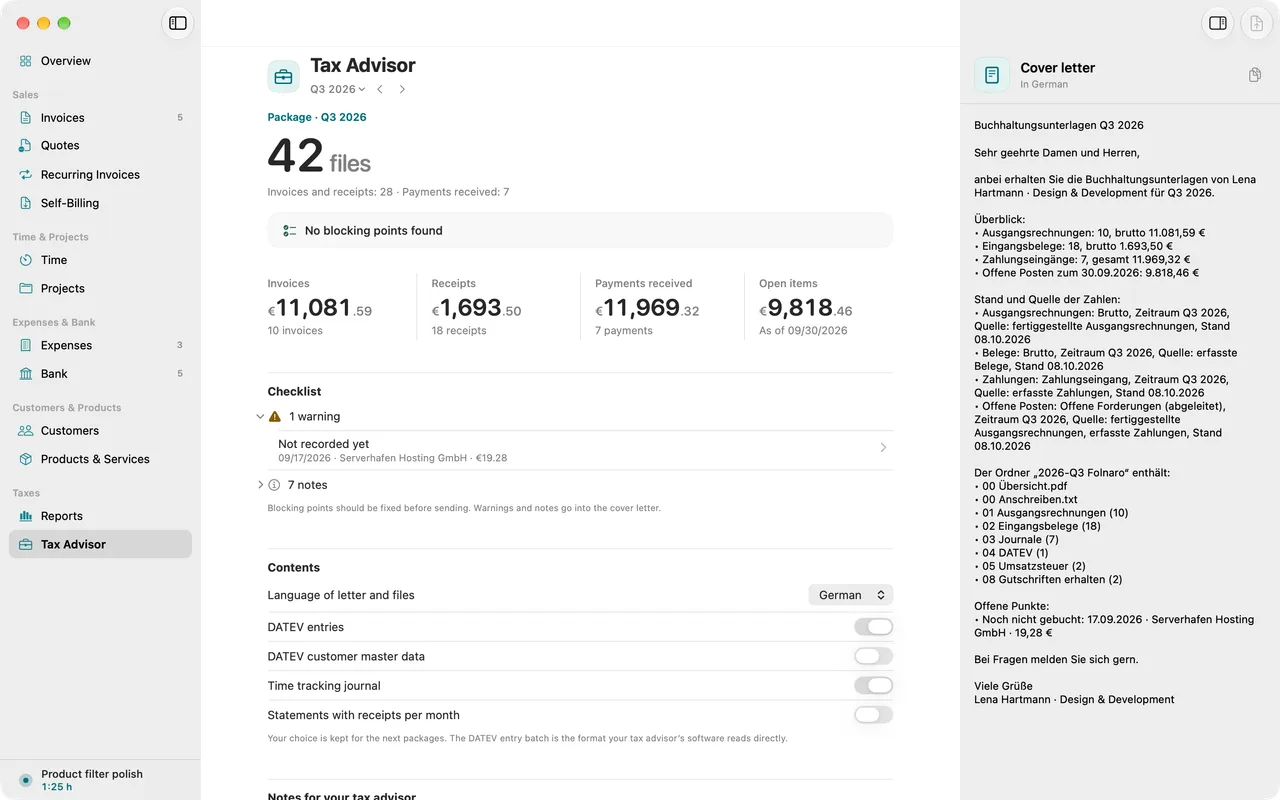
How Folnaro puts this package together is shown in the steps above and on the page Tax advisor. This guide is not tax advice.
