

Invoices
Write invoices that add up.
You type, the preview shows the finished PDF right away. Folnaro computes to the cent, checks the mandatory fields and assigns the number only when you finalize.
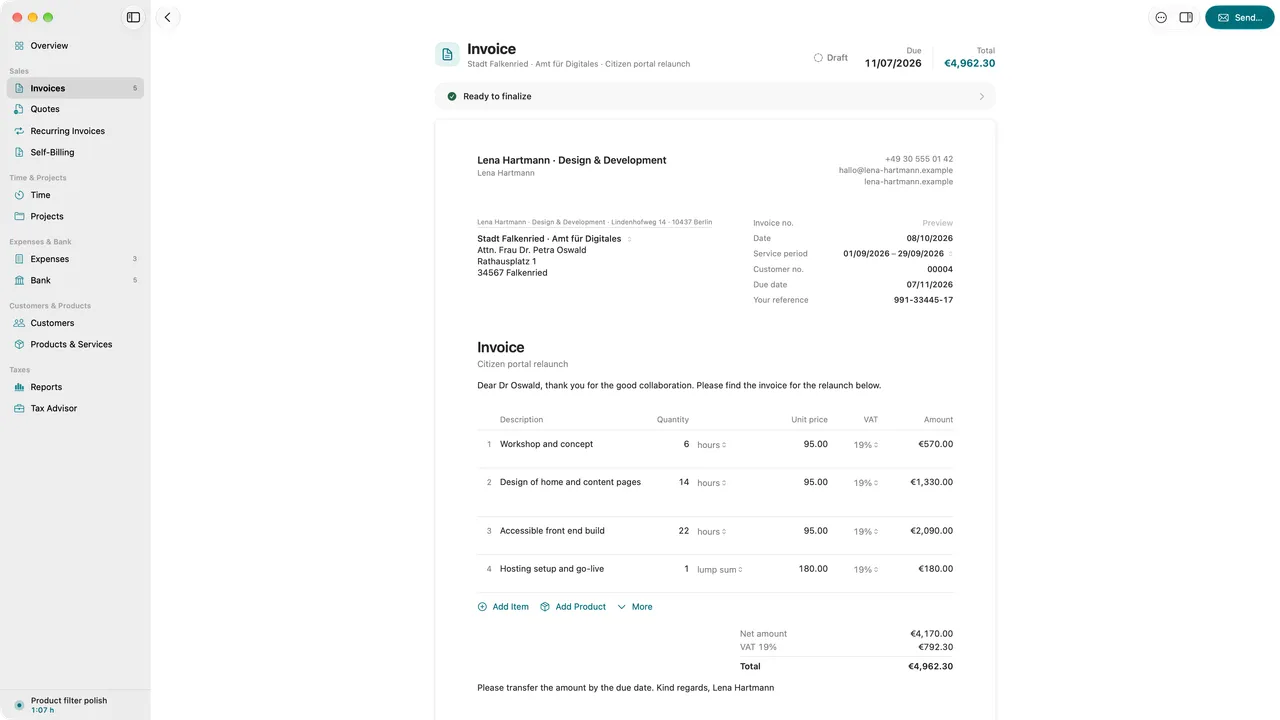
- Number assigned on finalizing, gap-free
- Mandatory fields checked under § 14 UStG
- Finalized means unchangeable
- German or English per document
01
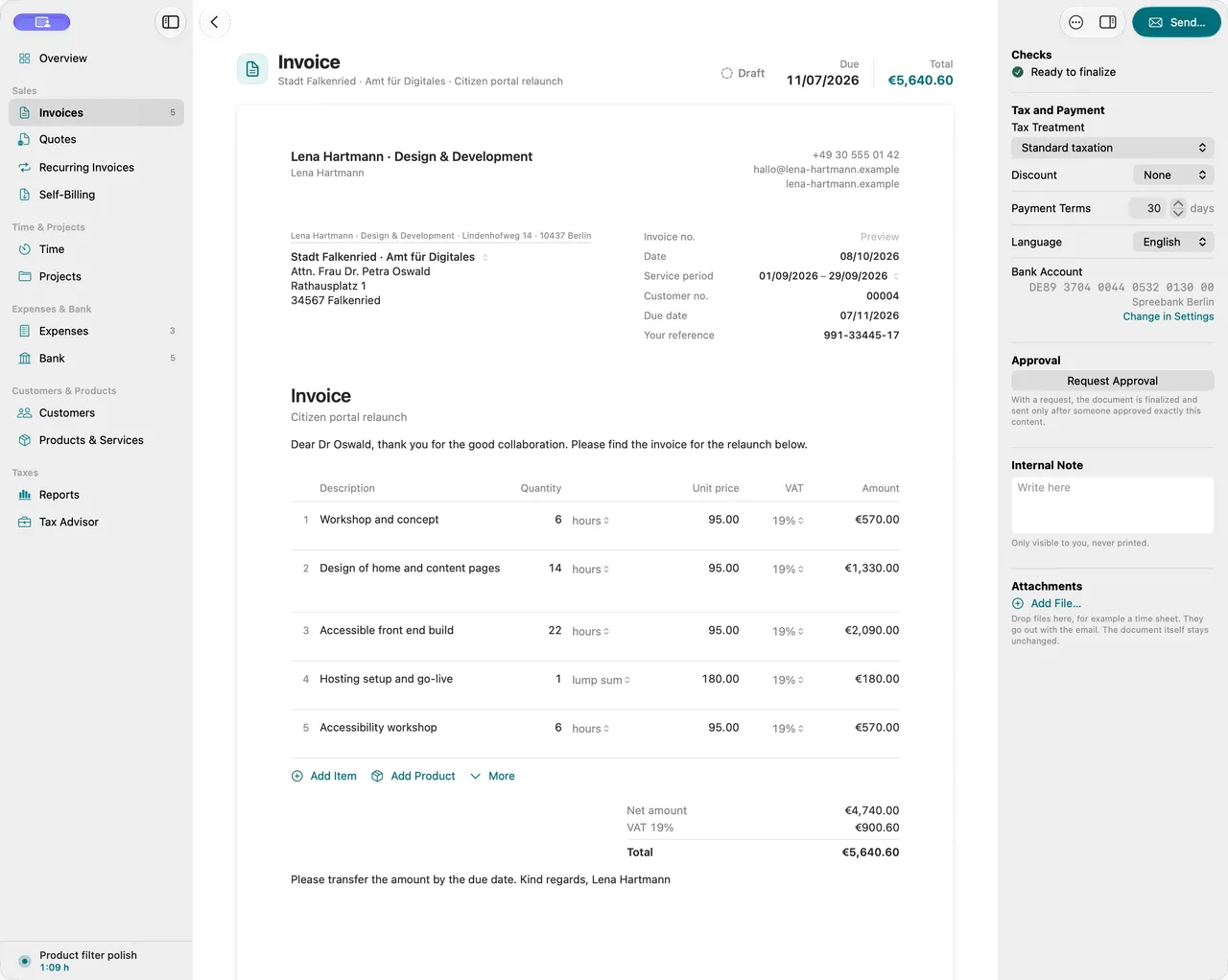
Write with a preview
Line items from your products or typed freely, discounts, tax rates kept apart. Folnaro computes net, tax and gross per rate, and the preview shows the PDF exactly as your customer will see it.
02
Checked before you finalize
If the address, the service date or the tax number is missing, Folnaro tells you before finalizing and names the field. Only then does the invoice get its number.
03
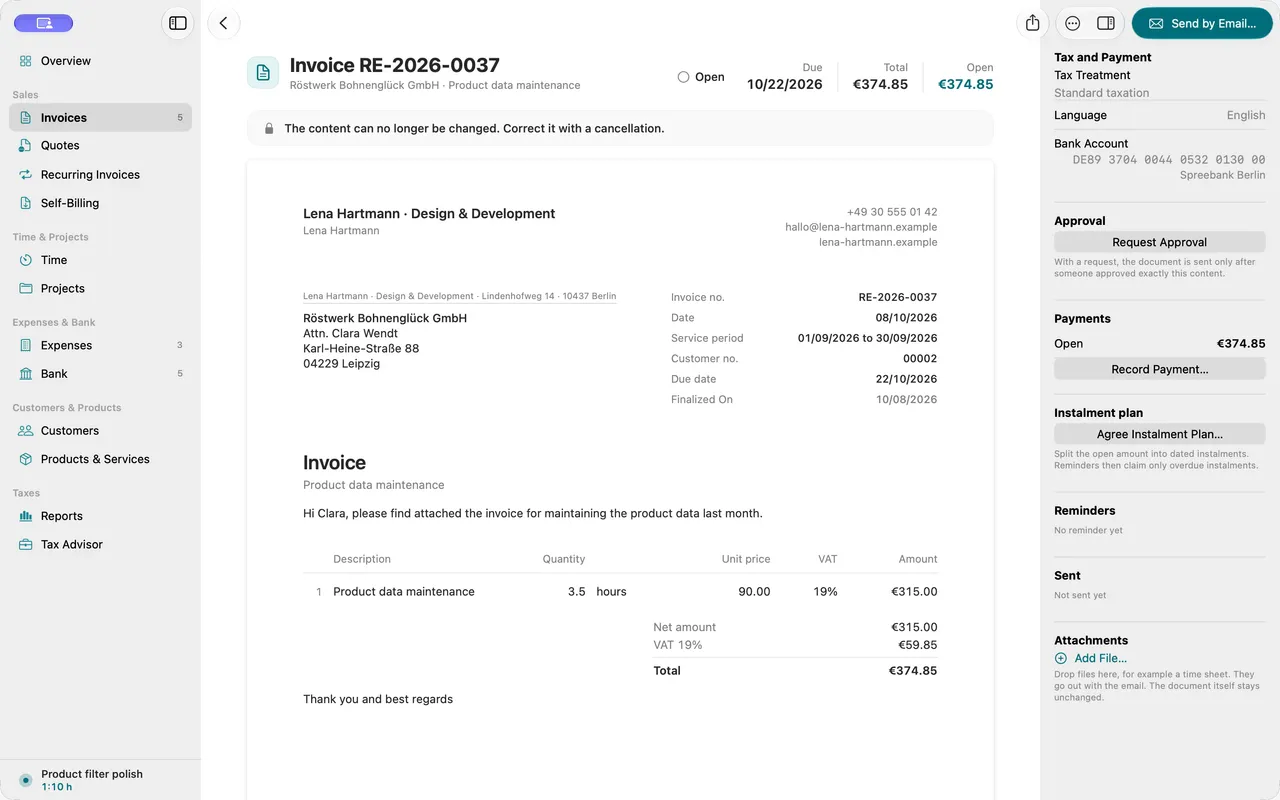
Numbers without gaps
Drafts have no number, so a deleted draft never leaves a gap. You set the format per document kind.
04
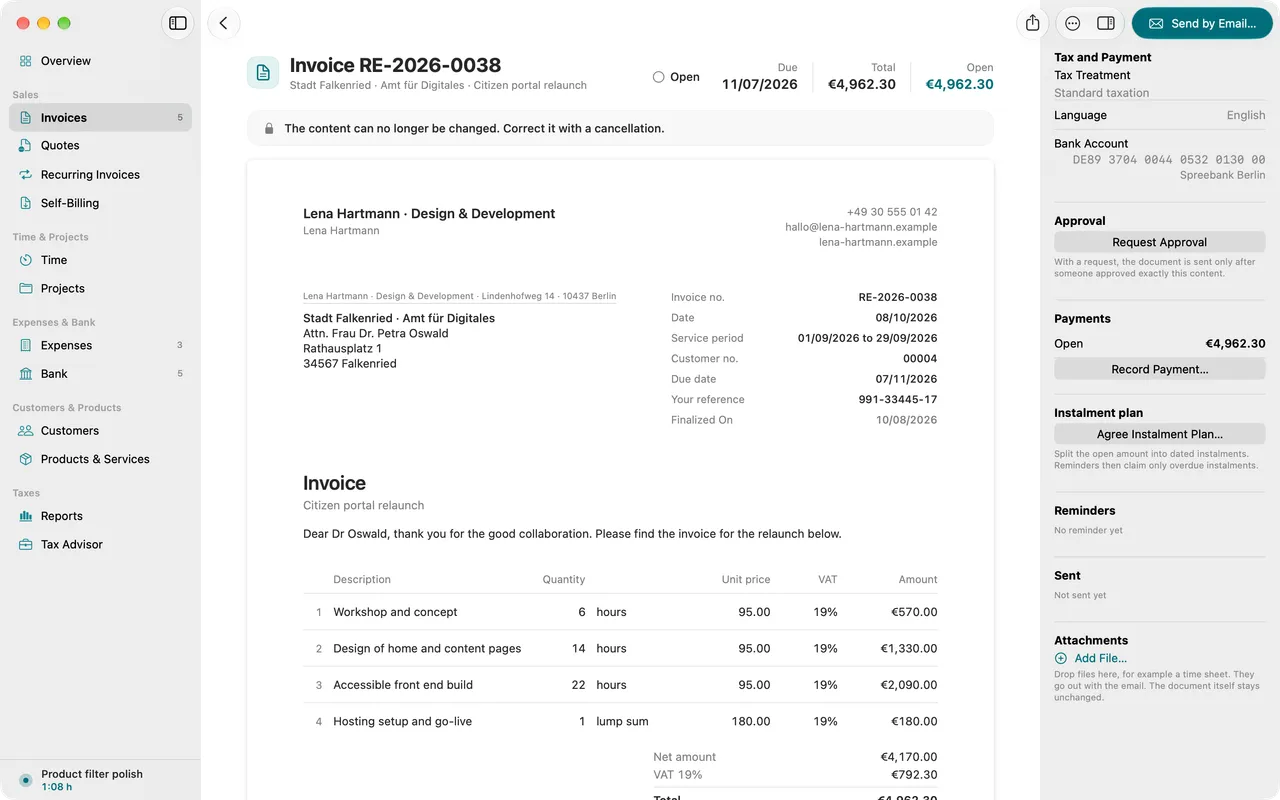
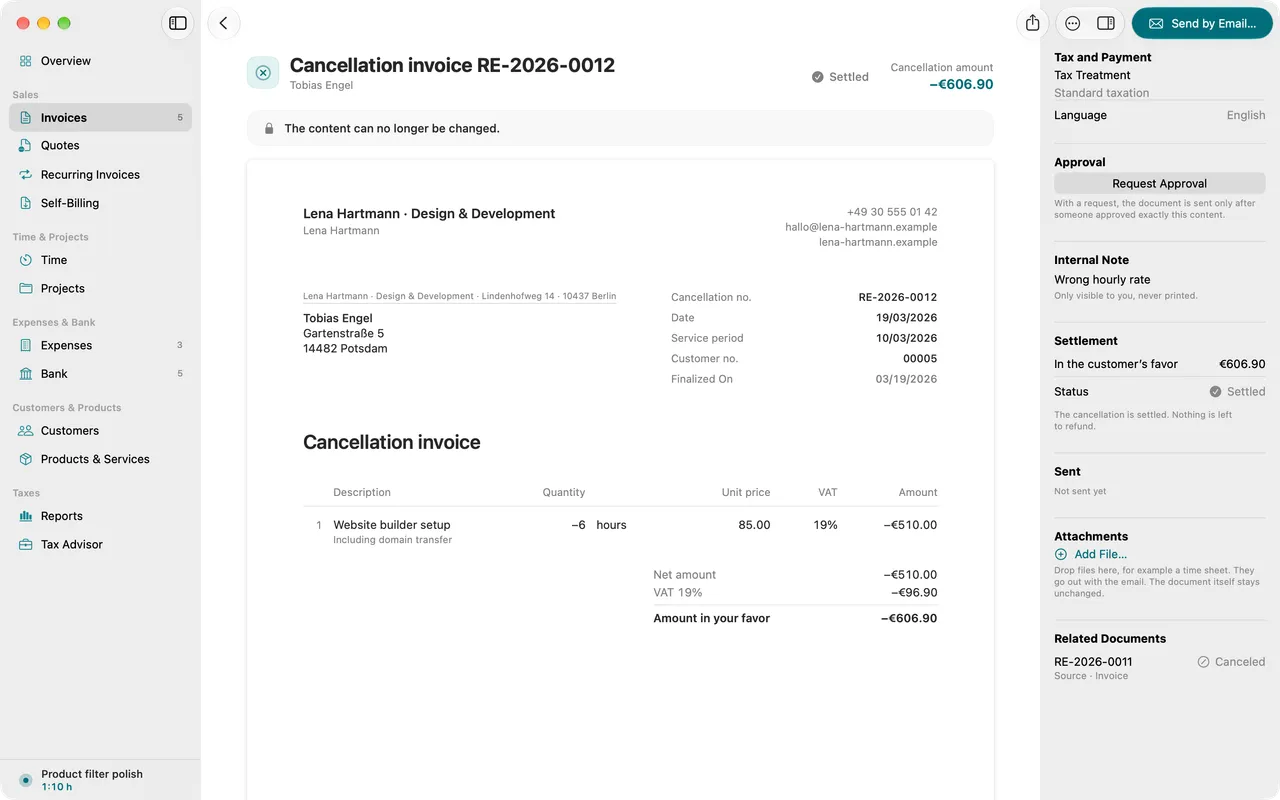
Correct without an eraser
Cancelling creates a cancellation invoice with its own number, an invoice correction changes only the amount that changes. The original stays traceable.
05
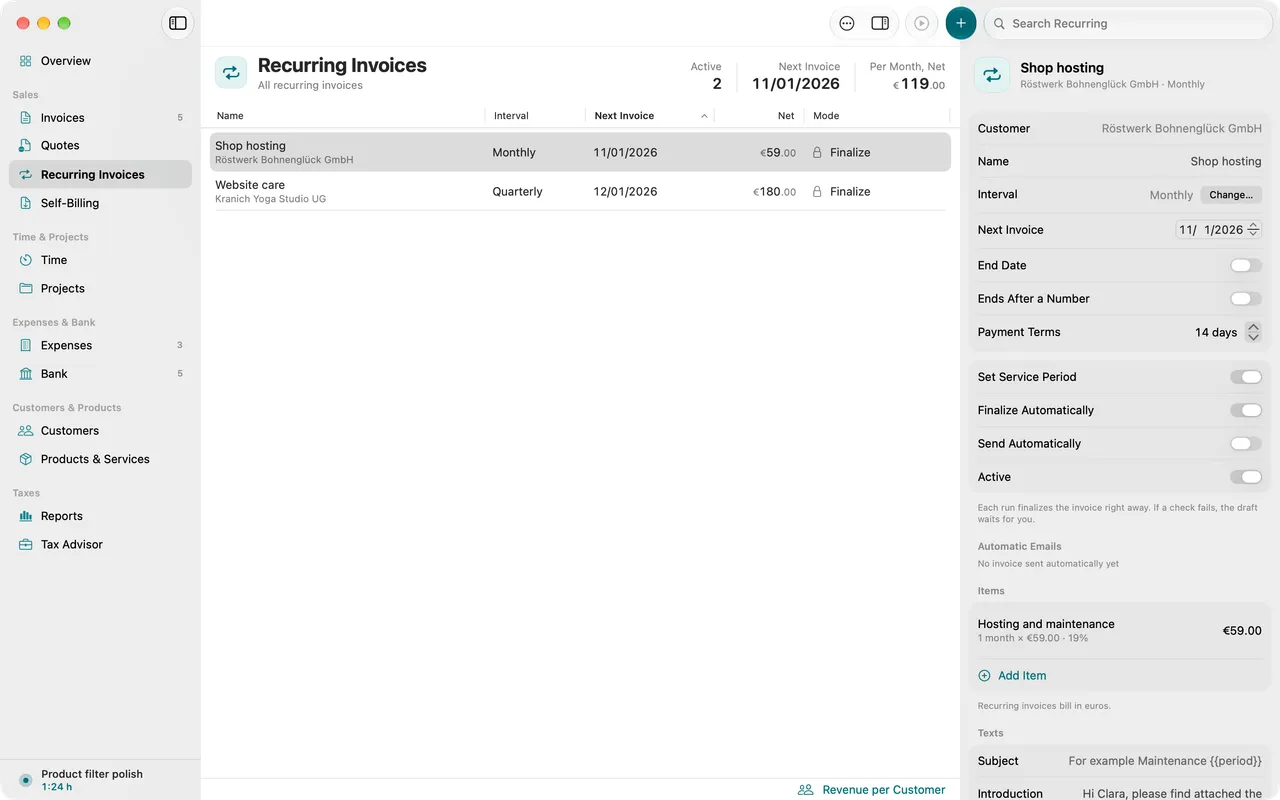
Recurring invoices that arrive exactly once
Set up monthly work once. Folnaro creates each invoice on time, even if your Mac was off on the day, and never twice.
06
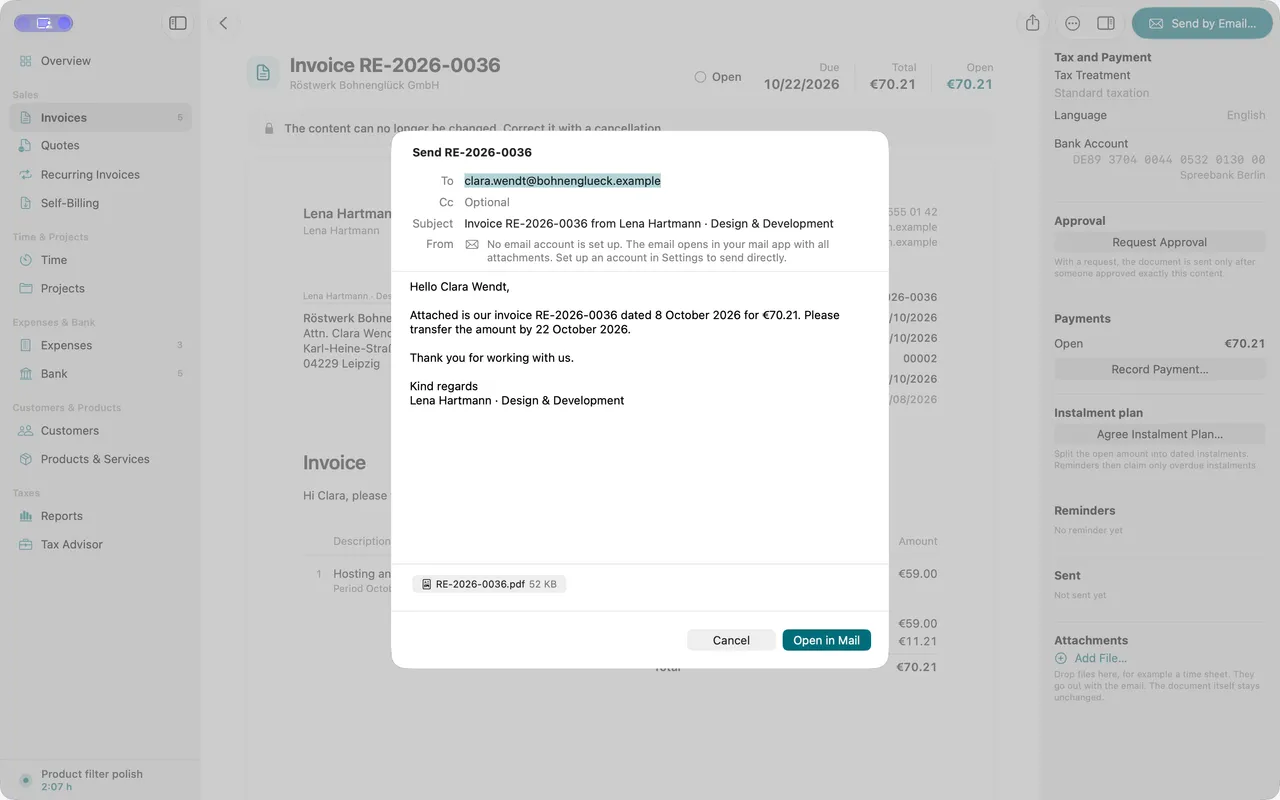
Send when you say so
By email through your own account, with a template per document kind. Customers are addressed formally by default, switchable per customer.
07
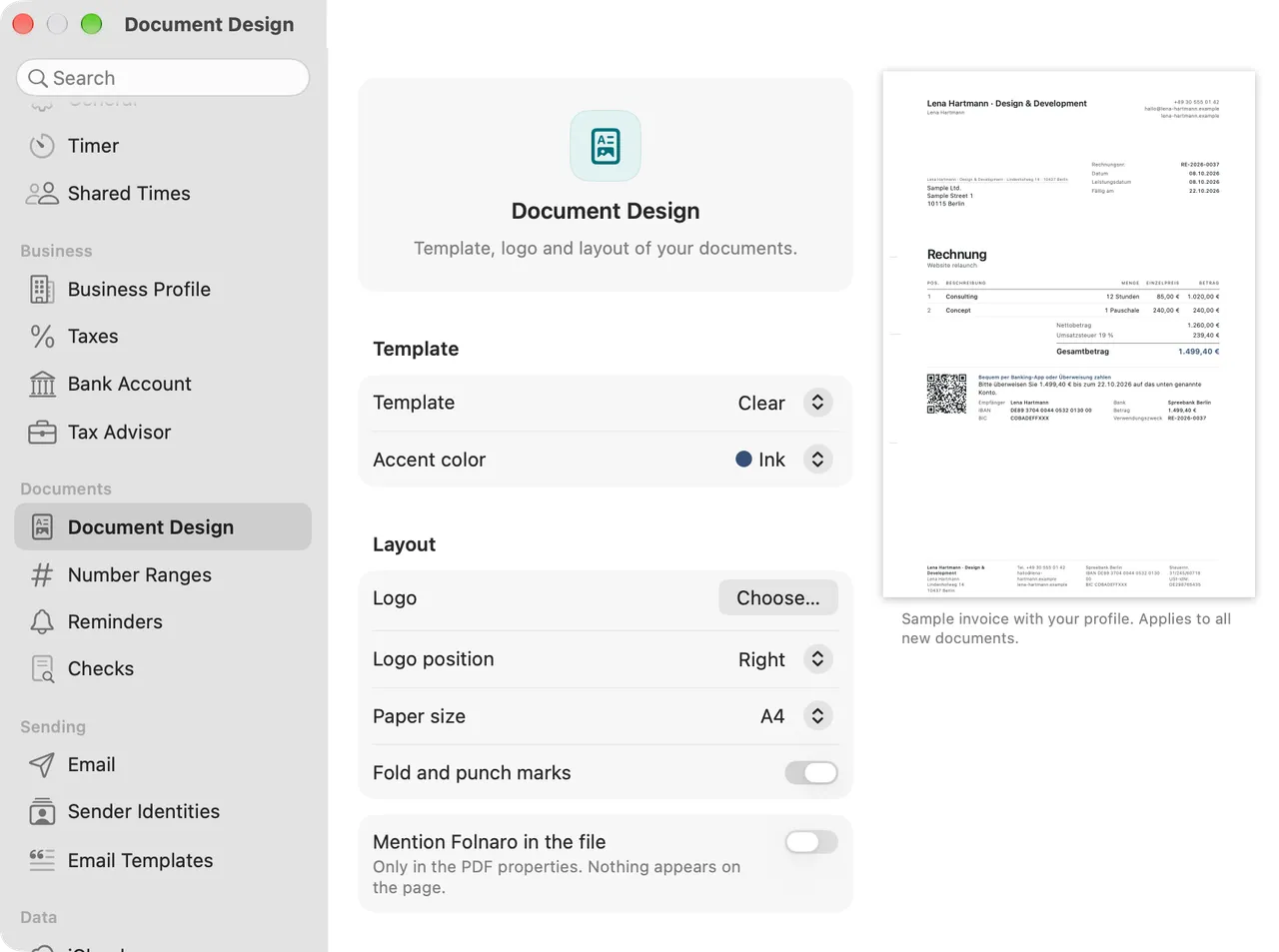
Your letterhead
Set logo, colors and footer once. Your documents carry your name, not ours.
Why it matters
You write invoices every month, often for the same customers with similar line items. A missing detail costs a follow-up question and the money arrives later. If you like, Folnaro takes over the texts and line items of the last invoice, computes to the cent and names what is missing before you finalize.
Good to know
A finalized invoice stays as it is, as the GoBD require. You correct it with a cancellation invoice or an invoice correction that refers to the original. Folnaro walks you through both.
Questions
Can I still change a finalized invoice?
No, the content stays as it is. If the whole invoice is wrong, you cancel it. Folnaro can create a corrected copy as a draft right away. If only part of it is wrong, you write an invoice correction for the amount that changes.
Can I continue my existing invoice numbers?
Yes. In Settings > Number Ranges you set the format and the next counter value. When you import invoices from another program, Folnaro continues after the highest imported number.
Can I write invoices in English?
Yes. You set the language per customer or per document, German or English. Labels, legal notices, date format and amounts follow the language of the document, not the language of the app.
What do I set up as a small business?
Turn on the small business rule in Settings > Taxes. New invoices then carry the § 19 UStG notice and no VAT. If an invoice still shows VAT, Folnaro does not let you finalize it.
Goes well with

Try it with your own numbers.
Free for 30 days, no account and no payment details. Then subscribe or buy once, with the same features.