

Time tracking
Time that keeps up with you.
The timer lives in the menu bar and keeps running when every window is closed. At the end of the month, the hours become the invoice.
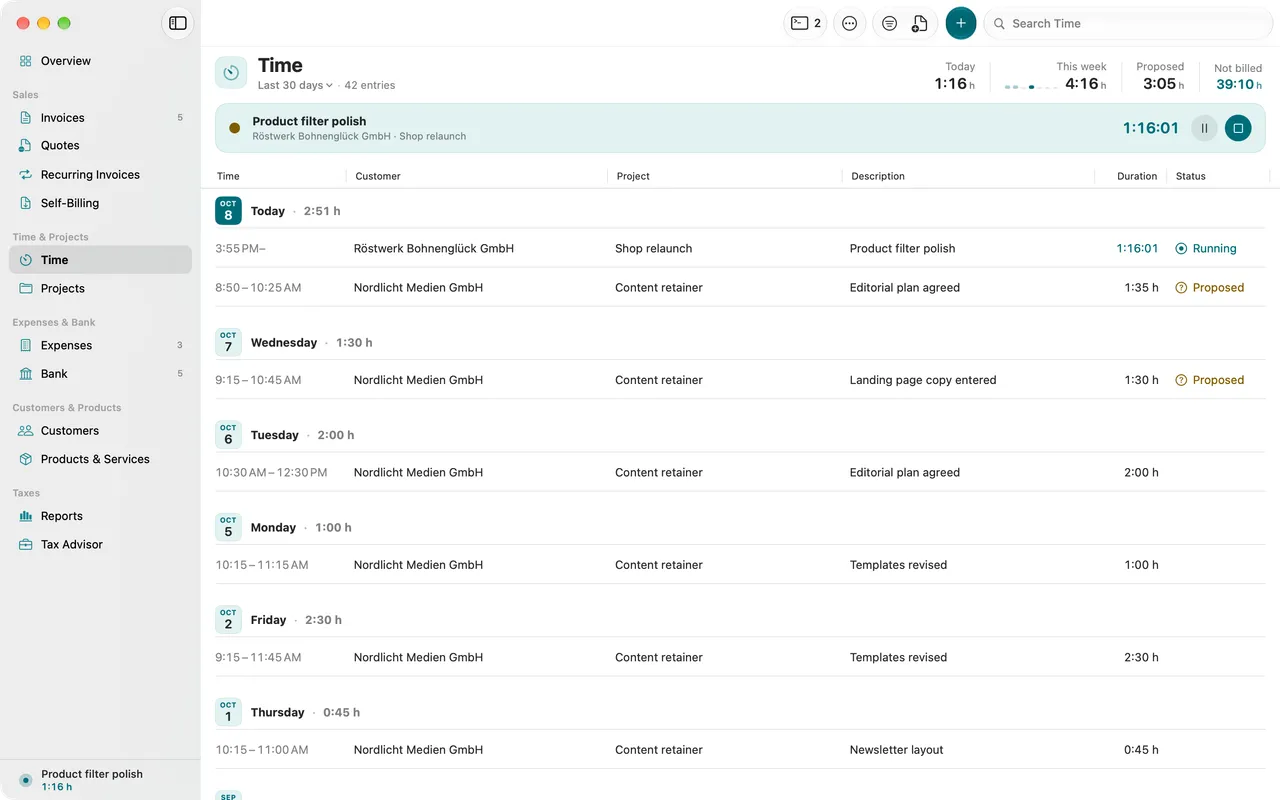
- Timer in the menu bar
- Keyboard shortcuts from anywhere
- Rates per project
- Time sheets for customers
01
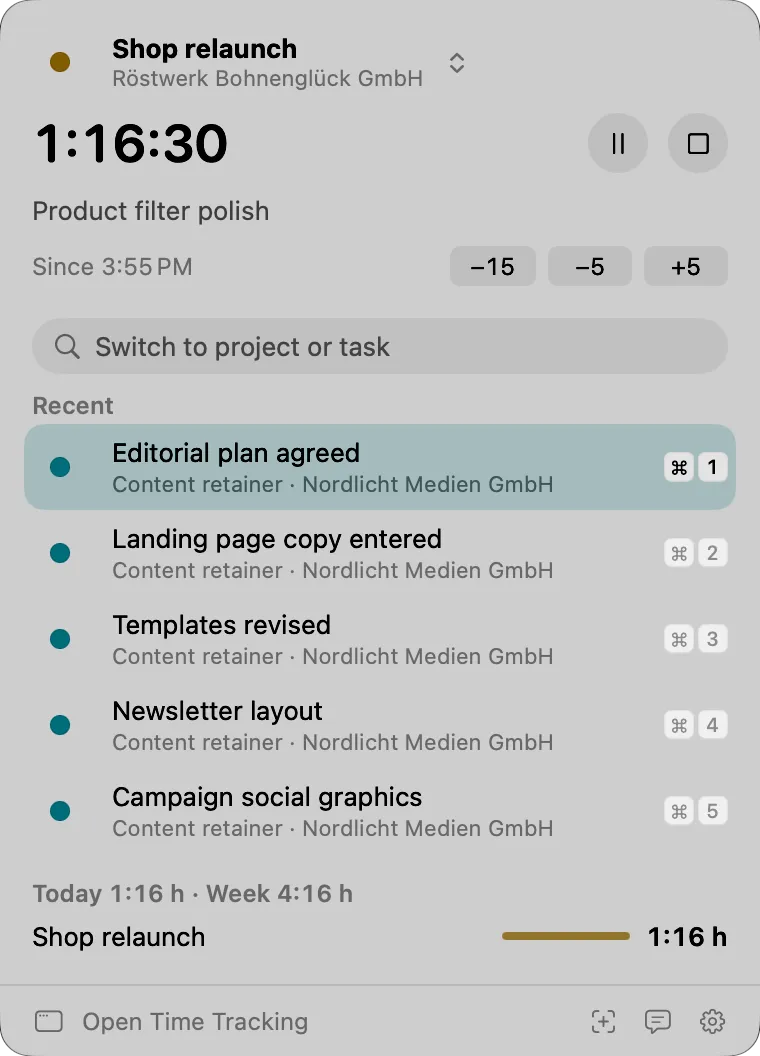
One click in the menu bar
Start, switch project, stop. With a global keyboard shortcut from any other app too.
02
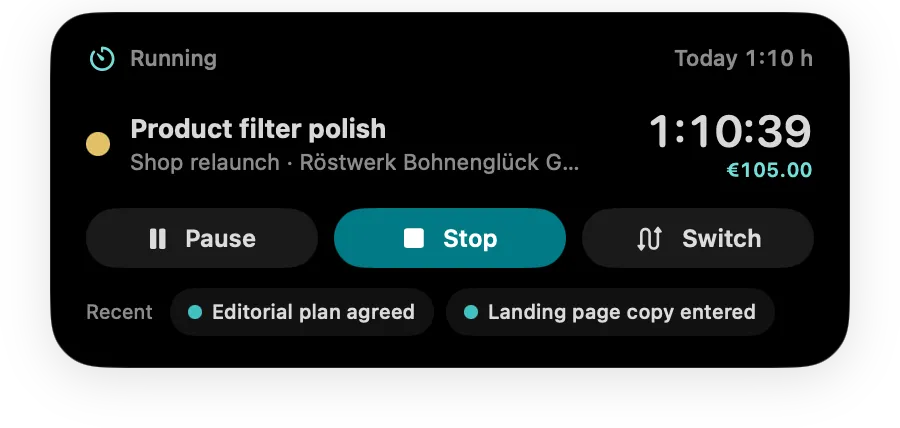
The Timer Island
The Timer Island hangs just below the menu bar at the top center and shows project and running time, unobtrusive and always in view. You turn it on in Settings.
03
When you were away
If you were away from your Mac for a while, Folnaro asks what to do with that time: keep it, subtract it or assign it elsewhere.
04
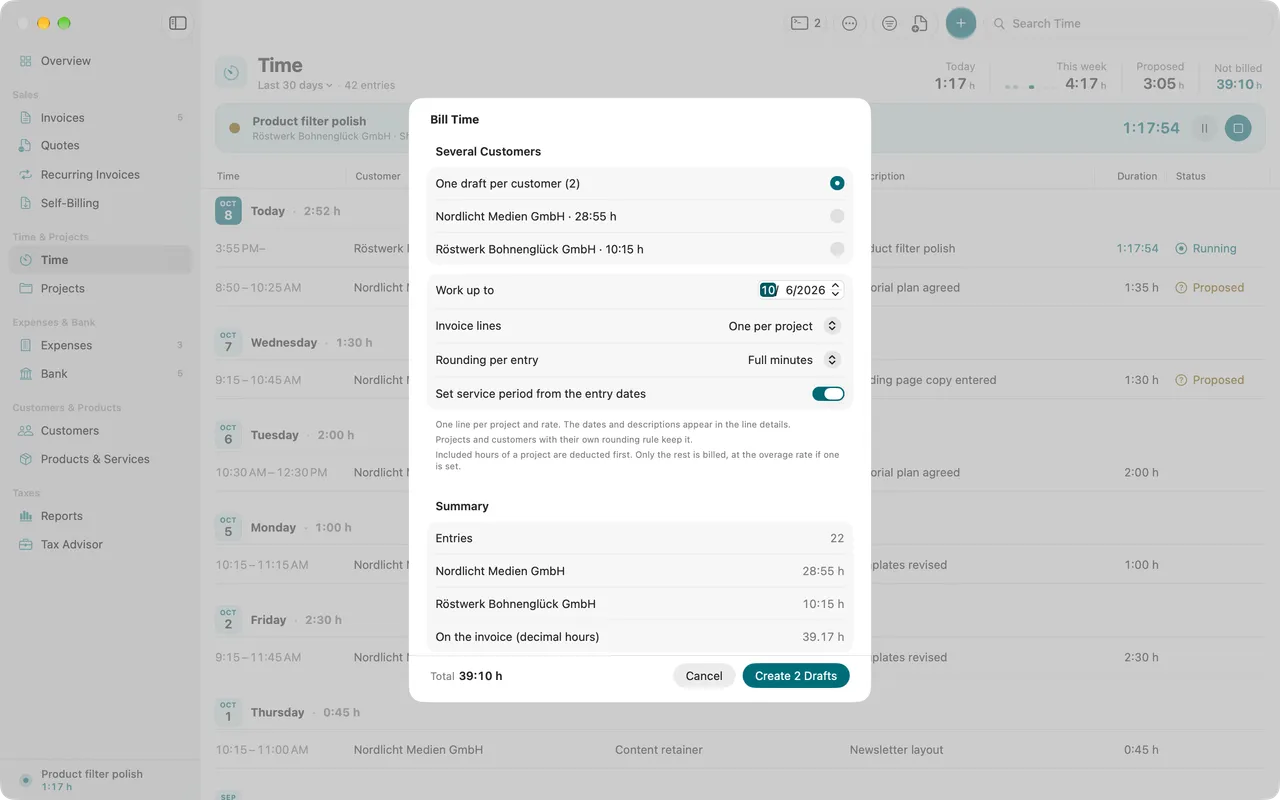
From entry to invoice
Pick customer and period, and Folnaro takes the hours into a draft as line items, grouped by project and rounded by your rules.
05
Your customer sees the hours, no account needed
Share a time sheet as PDF, XLSX or CSV in a folder you already share with the customer. Folnaro rewrites it only when something changed.
Why it matters
Time you do not track, you do not bill. Rebuilt from your calendar afterwards it is inaccurate and costs an evening at the end of the month. The timer runs along in the menu bar and asks when you were away. At the end of the month one command turns the hours into an invoice draft.
Good to know
Every time entry knows where it stands: open, in draft or billed. Delete the draft and the hours are open again, so nothing is billed twice.
Questions
Does the timer keep running when I close every window?
Yes. The timer lives in the menu bar and keeps running without an open window. ⌃⌥⌘T starts or pauses it from any app.
What happens if I forget to stop the timer?
When you stop a session of ten hours or more, Folnaro asks when you finished. It suggests an end eight hours after the start and does not record the time after it. If you like, Folnaro reminds you of a long running timer earlier.
Can I add time afterwards?
Yes. Type the duration as 1:30, 1.5 or 90m, or enter start and end. If you leave the rate empty, the rate of the project, the customer or your default rate applies.
Can I bill a contingent of hours?
Yes. On the project you enter included hours per billing cycle. When billing, Folnaro deducts them first and charges only the rest, with its own rate for extra hours if you set one.
Goes well with

Try it with your own numbers.
Free for 30 days, no account and no payment details. Then subscribe or buy once, with the same features.