

Receipts
Drop in receipts. Folnaro reads them.
A receipt comes in, from wherever. Folnaro reads vendor, date, amounts and tax rate right on your Mac. You check and save.
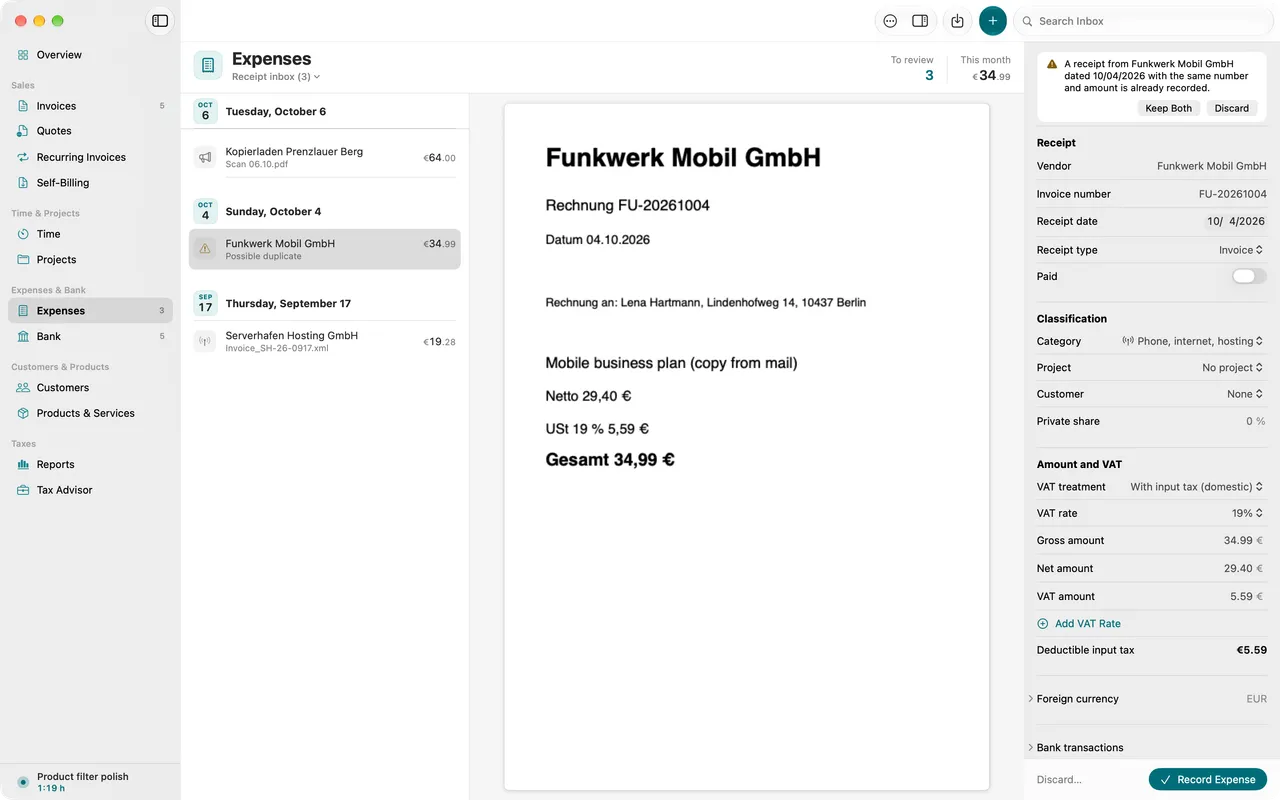
- Text recognition on your Mac
- One receipt inbox
- Duplicates spotted
- Void instead of delete
01
In it goes, from anywhere
Drag it into the window, share it from another app, scan it with your iPhone or let Folnaro watch a folder. Everything lands in the receipt inbox.
02
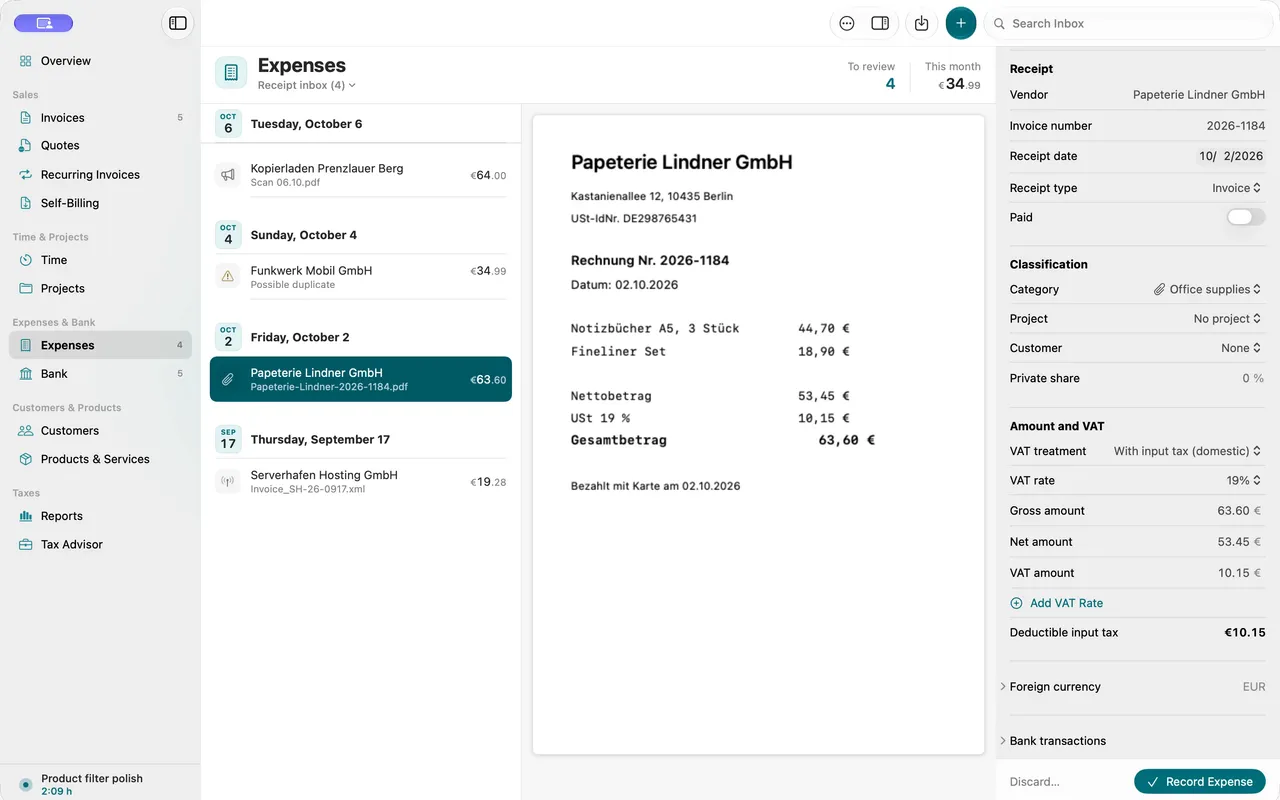
Folnaro reads the receipt
Text recognition runs on your Mac and nothing is uploaded. Uncertain fields are marked so you know where to look.
03
You check, Folnaro learns
Folnaro suggests a vendor’s category and tax rate on the next receipt. Several tax rates and private shares work too.
Why it matters
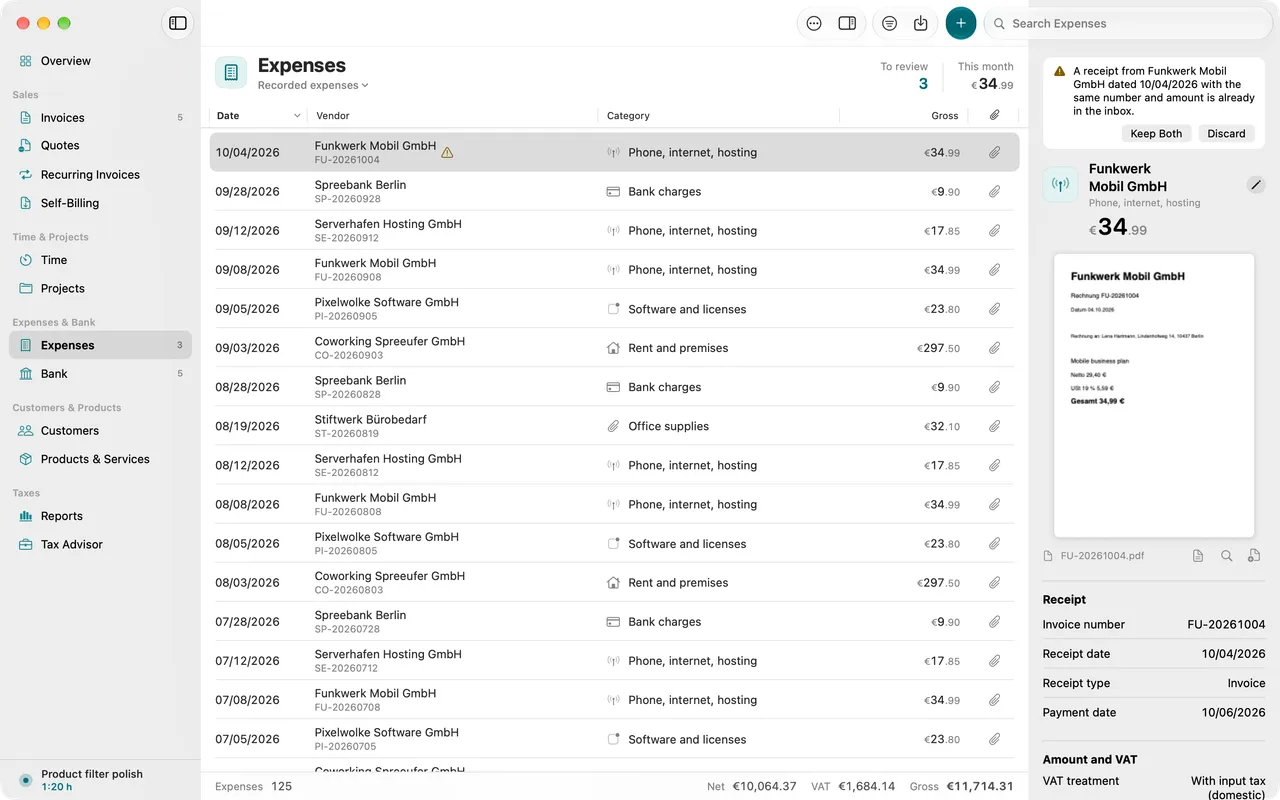
Receipts arrive by email, as photos, from customer portals or from the scanner. At the end of the quarter one is missing. In Folnaro every receipt lands in the same receipt inbox with its fields already read, and you only check them.
Good to know
Receipts are kept for eight years, books for ten. A wrong receipt is therefore not deleted but voided: it stays in the archive and no longer counts.
Questions
Are my receipts uploaded for text recognition?
No. Text recognition runs on your Mac and no receipt leaves it for that. Folnaro reads e-invoices straight from their data, with no text recognition at all.
How do receipts get from my iPhone to the Mac?
Choose File > Import from iPhone or iPad and take a photo or a document scan on the iPhone. The scan goes straight into the receipt inbox. You need no separate app on the iPhone for this.
What happens to a duplicate receipt?
Folnaro compares vendor, invoice number, date and amount and marks it as a possible duplicate. It recognizes the same file already on import. You decide whether to keep both or discard one.
Can I take receipts over from Paperless-ngx?
Yes. In Settings > Archive you connect your Paperless server. Documents with your receipt tag then appear in the receipt inbox. If you like, Folnaro marks recorded receipts in Paperless.
Goes well with

Try it with your own numbers.
Free for 30 days, no account and no payment details. Then subscribe or buy once, with the same features.