

Quotes
From quote to invoice in one step.
In Folnaro a quote starts a chain: acceptance, order confirmation, partial invoices, final invoice. Nothing is typed twice.
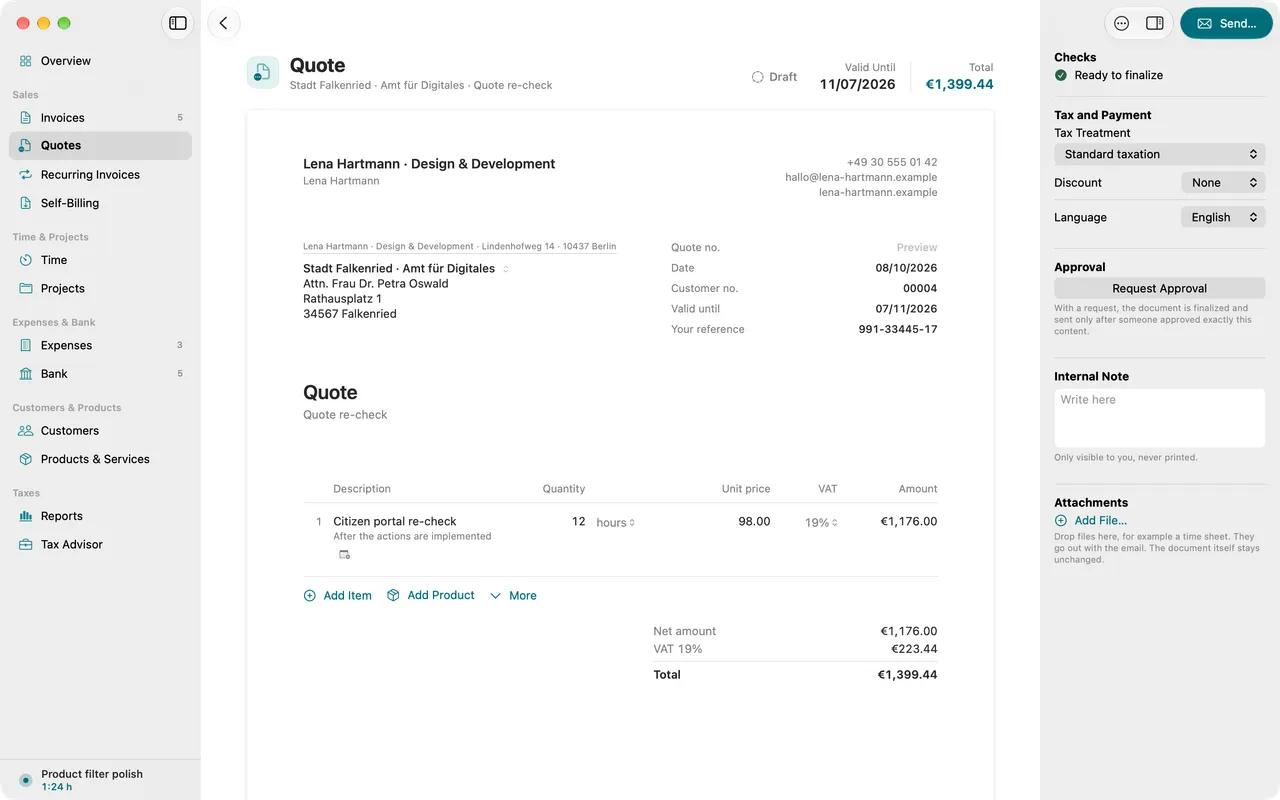
- Quote, order confirmation and delivery note
- Record acceptance or rejection
- Plan partial invoices
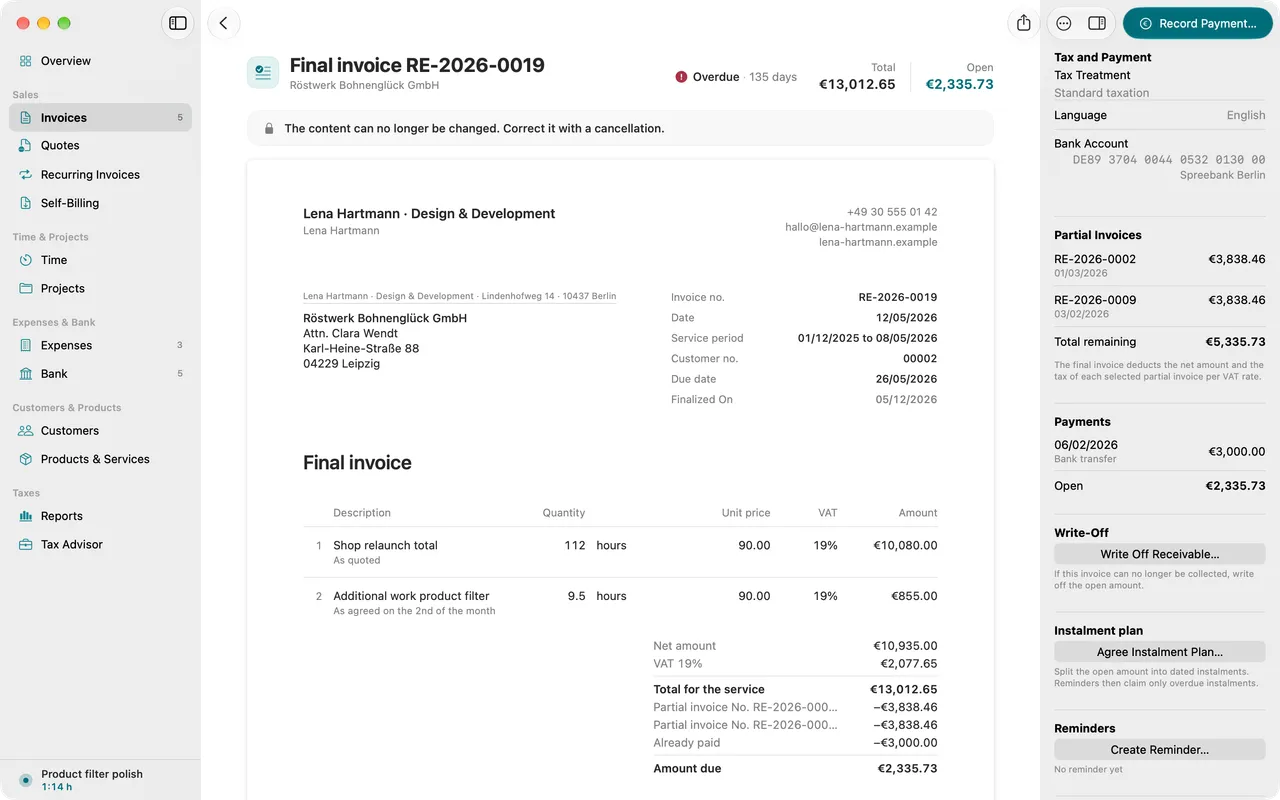
- The final invoice deducts partials per tax rate
01
Write the quote
The same line items, products and templates as invoices, with a validity date and its own number series.
02
Record the answer
When the customer accepts or declines, you record it on the quote. The overview shows which quotes are still waiting.
03
From quote to invoice
An accepted quote becomes an order confirmation, an invoice or a partial invoice. The final invoice settles every partial one.
Why it matters
A quote you type again as an invoice later costs twice the time and invites mistakes. In Folnaro an accepted quote becomes an invoice, an order confirmation or a partial invoice with one command. The list shows which quotes are still waiting for an answer.
Good to know
Partial invoices already show tax. The final invoice therefore deducts them per tax rate, otherwise your customer pays the tax twice. Folnaro does the math for you.
Questions
Can a quote include optional items?
Yes. Optional and alternative items appear on the quote but do not count toward the total. When you convert it, you choose what the customer accepted. Only those items go onto the invoice.
What happens to the quote when I convert it?
The quote stays unchanged, exactly as the customer received it. It then counts as accepted. The new document is linked to the quote in the inspector.
Can I reuse an old quote?
Yes. Duplicate creates a new draft without a number, with every line item, today’s date and a validity of 30 days.
Goes well with

Try it with your own numbers.
Free for 30 days, no account and no payment details. Then subscribe or buy once, with the same features.