

Bank reconciliation
Every transaction finds its match.
Import your bank statement and Folnaro suggests the matching invoice or receipt for every transaction. At the end you see per month what still has no receipt.
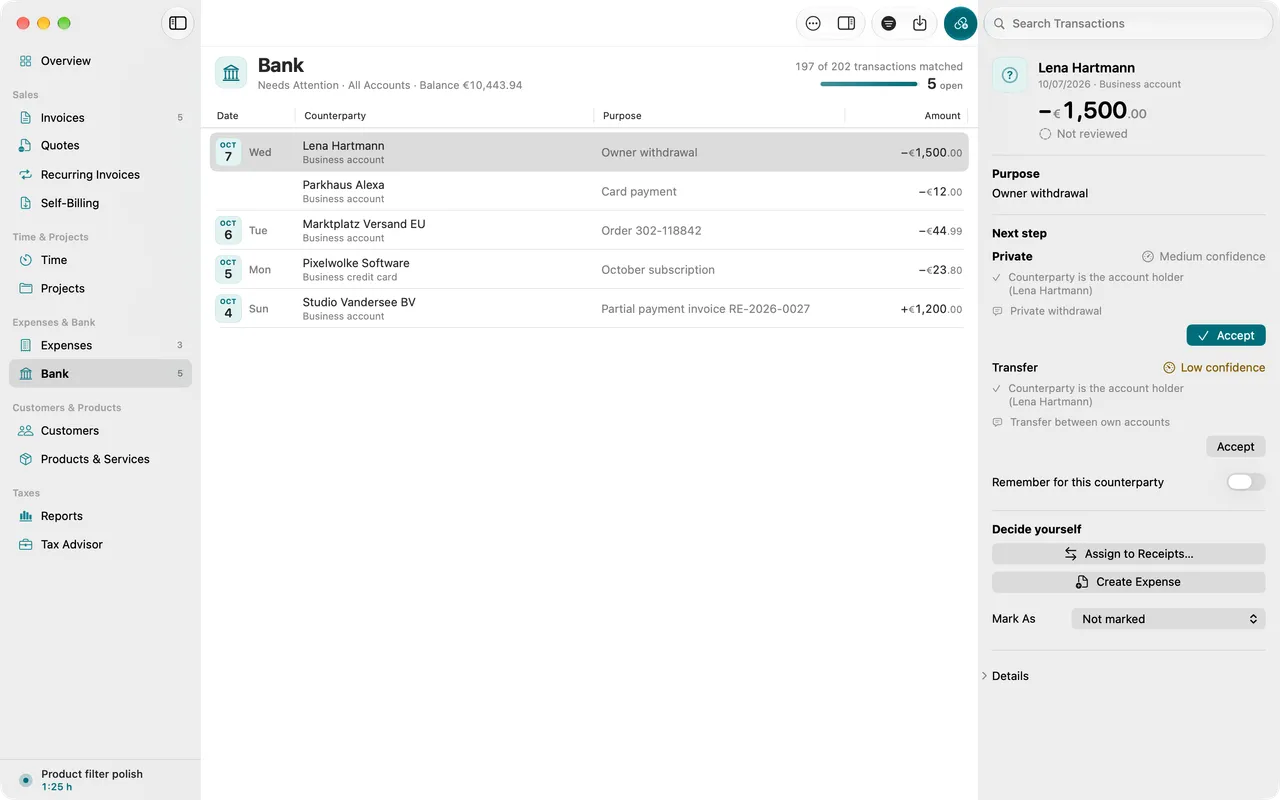
- CAMT, MT940 and CSV
- Suggestions with confidence
- Split and partial payments
- Reasons for transactions without a receipt
01
Statement in
CAMT, MT940 or CSV, as your bank offers them for download. Folnaro remembers the column mapping per account.
02
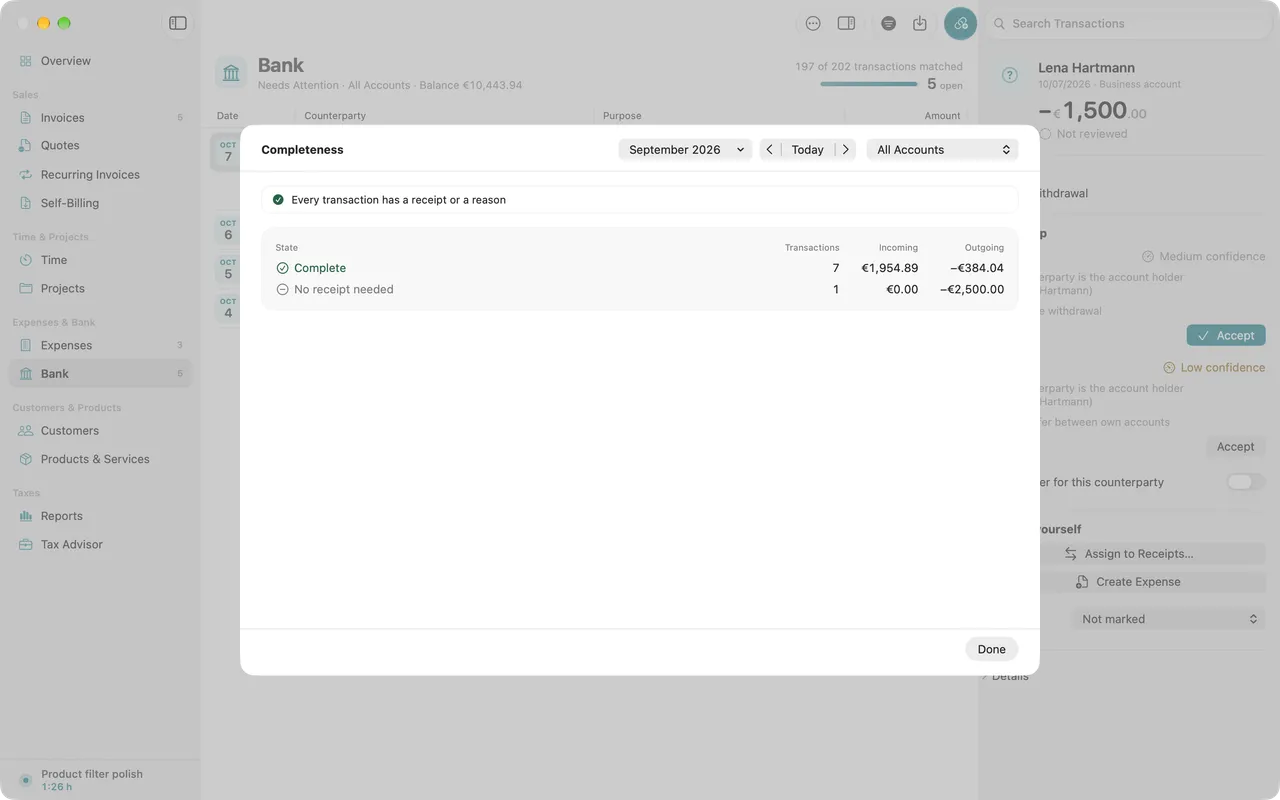
Suggestions with confidence
By amount, date, reference and counterparty. Confirm confident matches in one go, uncertain ones one by one.
03
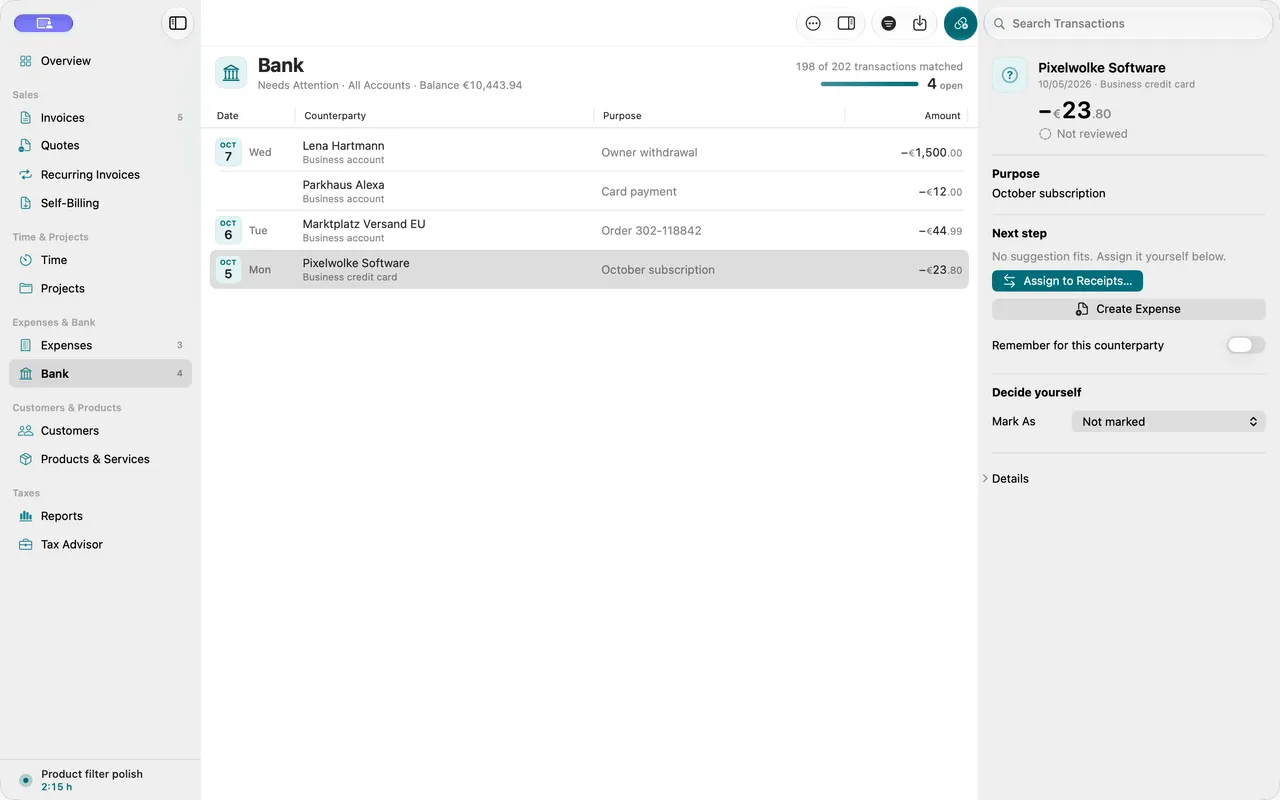
Split transfers, partial payments, discounts
One transfer for several invoices, an instalment, a few cents off: Folnaro allocates it and records the payment difference.
Why it matters
Laying statement and receipts side by side at the end of the month is tedious, especially with split transfers, partial payments and debits without an invoice. Folnaro suggests the matching receipt or invoice for every transaction and remembers recurring counterparties. Paid invoices then show as paid in the list on their own.
Good to know
What matters to your tax advisor is a receipt or a reason for every transaction. Folnaro shows per period what is still missing, without blame.
Questions
How do my bank statements get into Folnaro?
You download the statement from your bank, PayPal or Stripe as CAMT, MT940 or CSV and import it. Folnaro works with these files and needs no login details for your account.
My bank only offers CSV. Does that work?
Yes. Folnaro already knows many CSV formats of German banks and payment providers. Any other CSV you map once yourself, and Folnaro remembers the mapping for the account.
What do I do with transactions without a receipt?
Mark bank fees or interest as No Receipt Needed with a reason, such as the statement being the receipt. The reason appears next to the transaction in the tax advisor package. If you like, Folnaro remembers it for the counterparty.
Can I undo a match?
Yes. Every match can be undone with Edit > Undo, including accepting all confident matches in one step. Reset Transaction makes a transaction open again.
Goes well with

Try it with your own numbers.
Free for 30 days, no account and no payment details. Then subscribe or buy once, with the same features.