

Agents
Your agent pitches in. By your rules.
Folnaro ships a local MCP server. Agents like Claude, Codex or Cursor write drafts, track time and pull reports.
- Local on your Mac
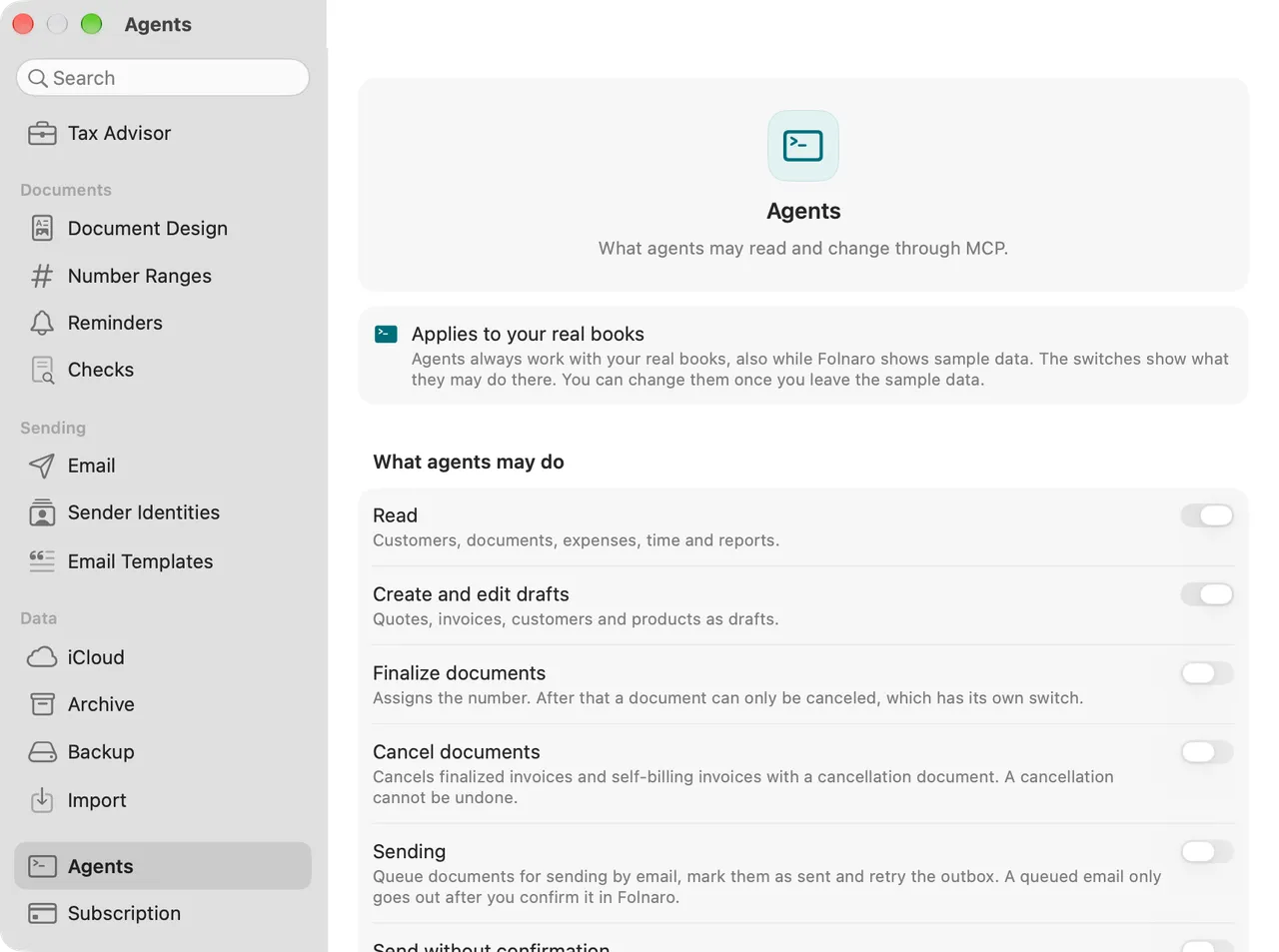
- Permissions per area
- The same checks as the app
- Every change in the log
01
Permissions per area
Reading is where it starts. You grant write access per area, in Settings under Agents.
02
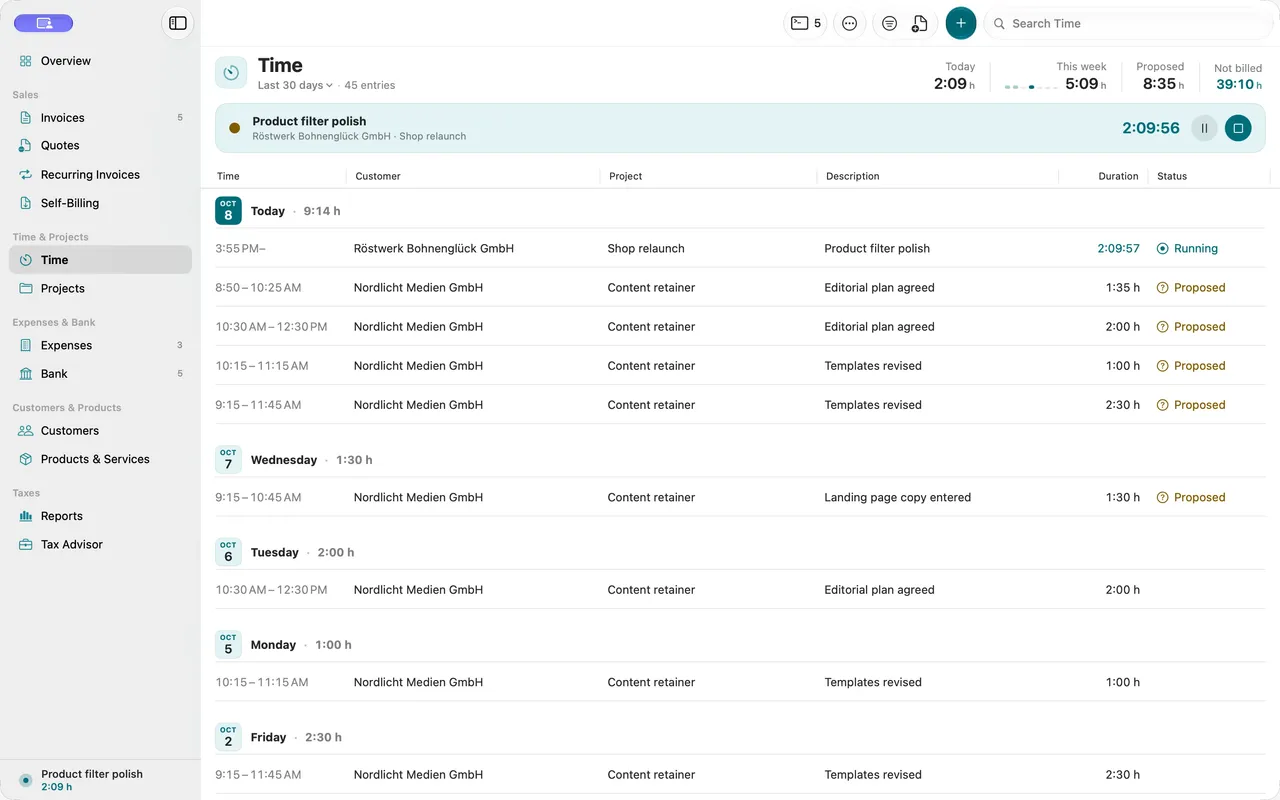
Everything in the log
Every change an agent makes is logged with the client’s name. You see who did what and when.
Why it matters
Many bookkeeping chores are routine: entering the week’s hours, writing a draft from notes, checking open invoices. An agent does this in Folnaro by the same rules as you. You decide per area what it may do. Every change it makes is in the log.
Good to know
Finalizing, cancelling and sending are separate switches and off by default. An email from an agent waits for your confirmation. An agent only proposes payments. Its time entries and payments count only after your approval.
Questions
Can an agent finalize an invoice by accident?
Only if you allow it. At the start only reading is on. Finalizing and cancelling are separate switches. When you turn on a write permission, Folnaro asks for Touch ID or your login password.
Can an agent email my customers?
Only after you confirm. With the Sending switch an agent may queue an email. It goes out only when you click Send Now in Folnaro, and Folnaro notifies you of every queued email. Only you can turn on Send without confirmation. An agent only proposes payments.
Does my data go to the internet?
Folnaro’s MCP server has no network access and works only with the database on your Mac. What your agent app does with data it reads is up to its provider. Check its privacy notes before you leave reading on.
What can agents do without a subscription?
Read and export. Without an active subscription or one-time purchase agents create nothing new, whatever switches are on. Cancelling a wrong invoice and proposing payments still work.
Goes well with

Try it with your own numbers.
Free for 30 days, no account and no payment details. Then subscribe or buy once, with the same features.