

Time link
Your customer sees what you’re working on.
When your customer asks how many hours have come together, you send them a link. They see their time in the browser, on a phone as well as on a computer. Folnaro keeps the page up to date on its own.

From version 1.1
01 Time link
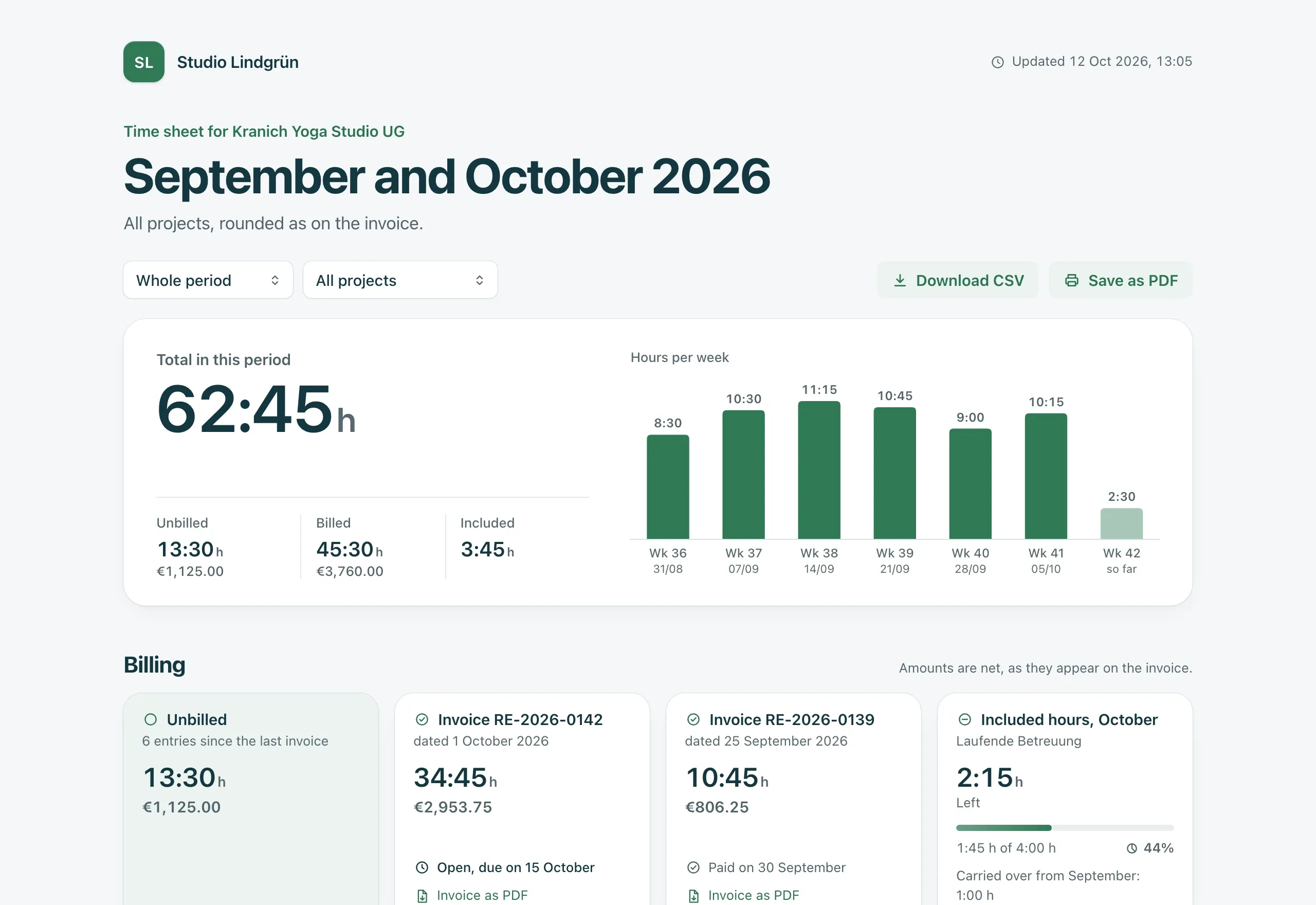
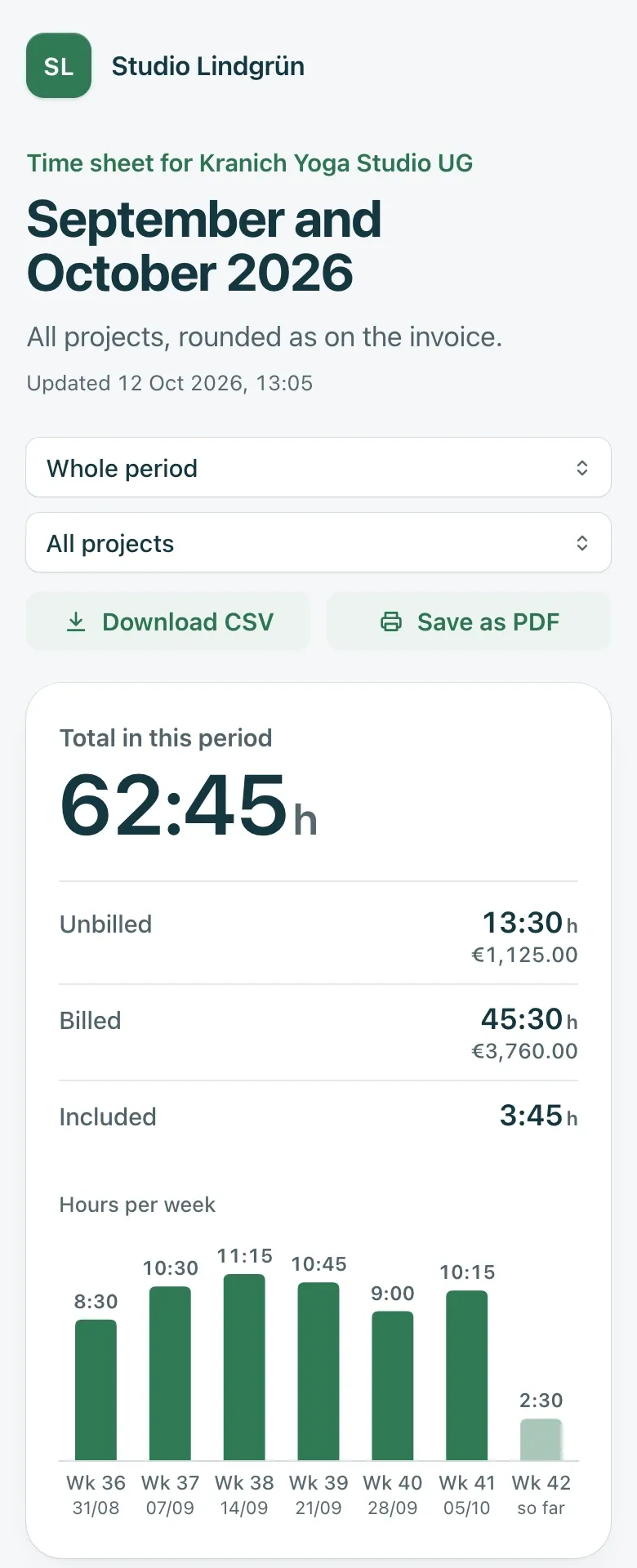
Everything on one page, on a phone too
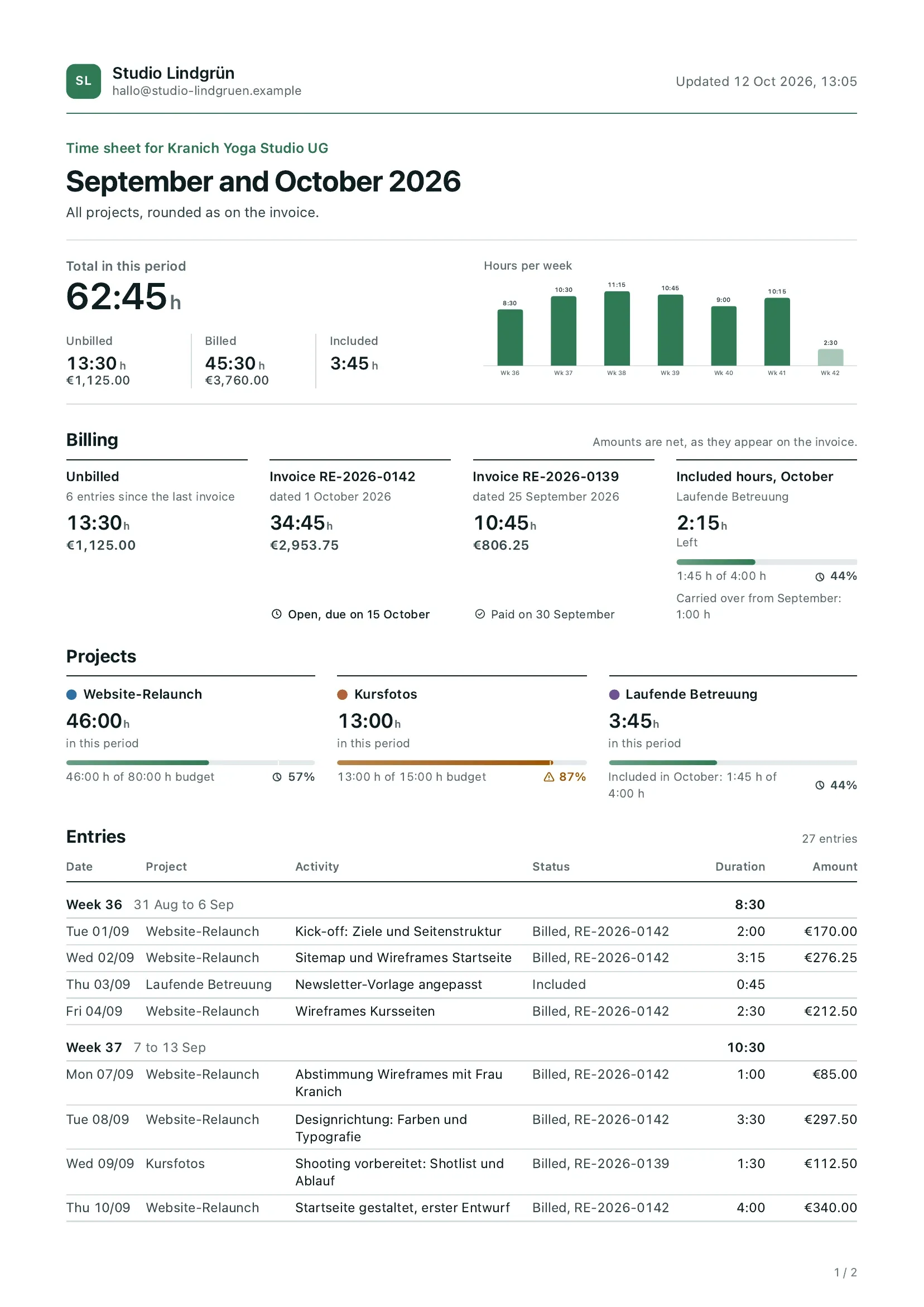
At the top are your name and when the page was last updated, below that the total for the period, split into unbilled, billed and included. Then come a weekly chart, a card per invoice, the budget per project and every entry by week.
- The same figures as on the invoice
- Folnaro applies rounding, minimum time, included hours and budget as it does when billing. The page never rounds.
- Invoices to download
- If you like, with amounts, the status of your invoices and the last three invoices as PDF.
- Light and dark, German and English
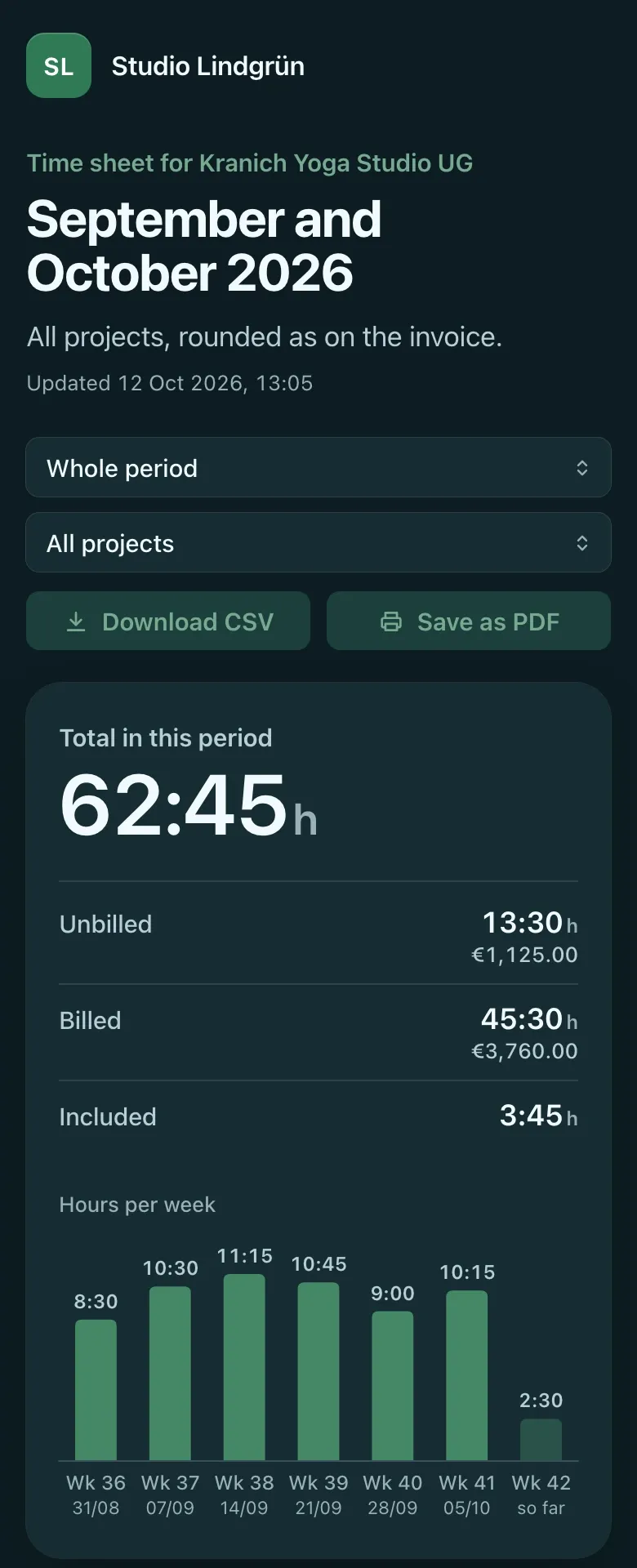
- The page follows your customer’s device and appears in their document language. They can switch at the bottom.
- Formal or casual
- The page addresses your customer the way you set it for them, formally by default.
02 Time link
Two clicks on your Mac
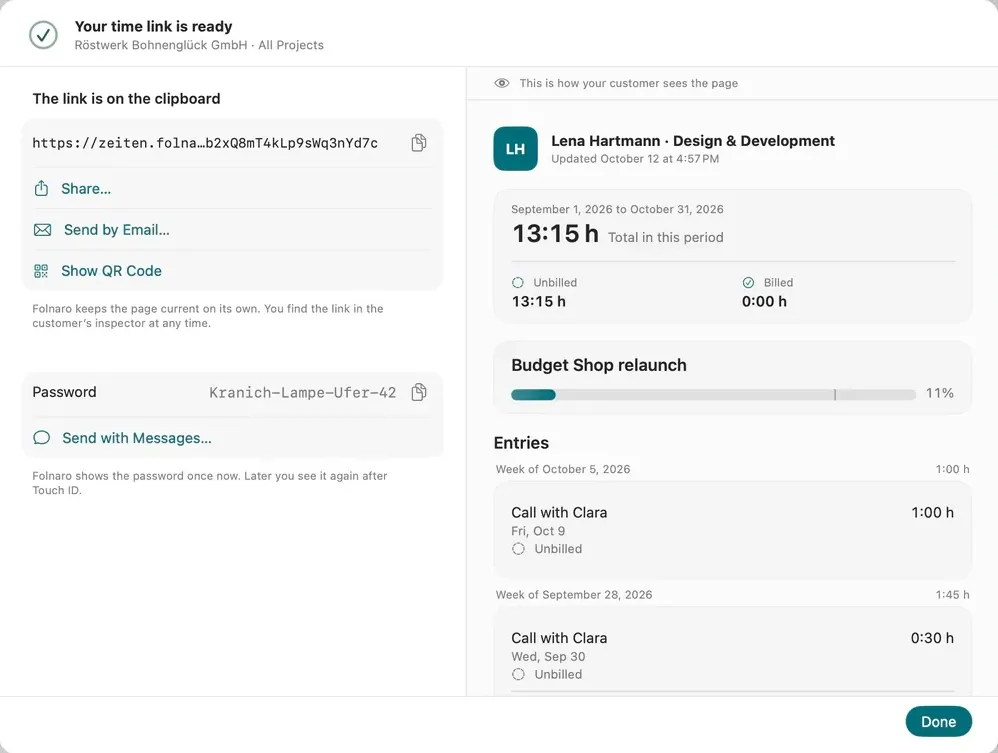
Select a customer or a project, then Share Times. On the left you choose what your customer sees, on the right you already see their page. One click on Create and Copy Link, and the link is on the clipboard.
- With ⌥⇧⌘L
- Share Times is in the Time menu, in the inspector and in the context menu of a customer, project or time entry.
- Two templates
- Customer with Included Hours shows hours without amounts, Project with Budget shows everything with budget and amounts.
- Remembered per customer
- The window remembers your choice. Next time the same two clicks are usually enough.
- For agents too
- With the right for time, an agent creates links through MCP. It only gets the link itself if you allow it.
03 Time link
With the invoice, as a message or a QR code
When you send an invoice, Include the time link is already ticked the first time. Your customer then finds their link right in the invoice email. Folnaro remembers your choice for each customer.
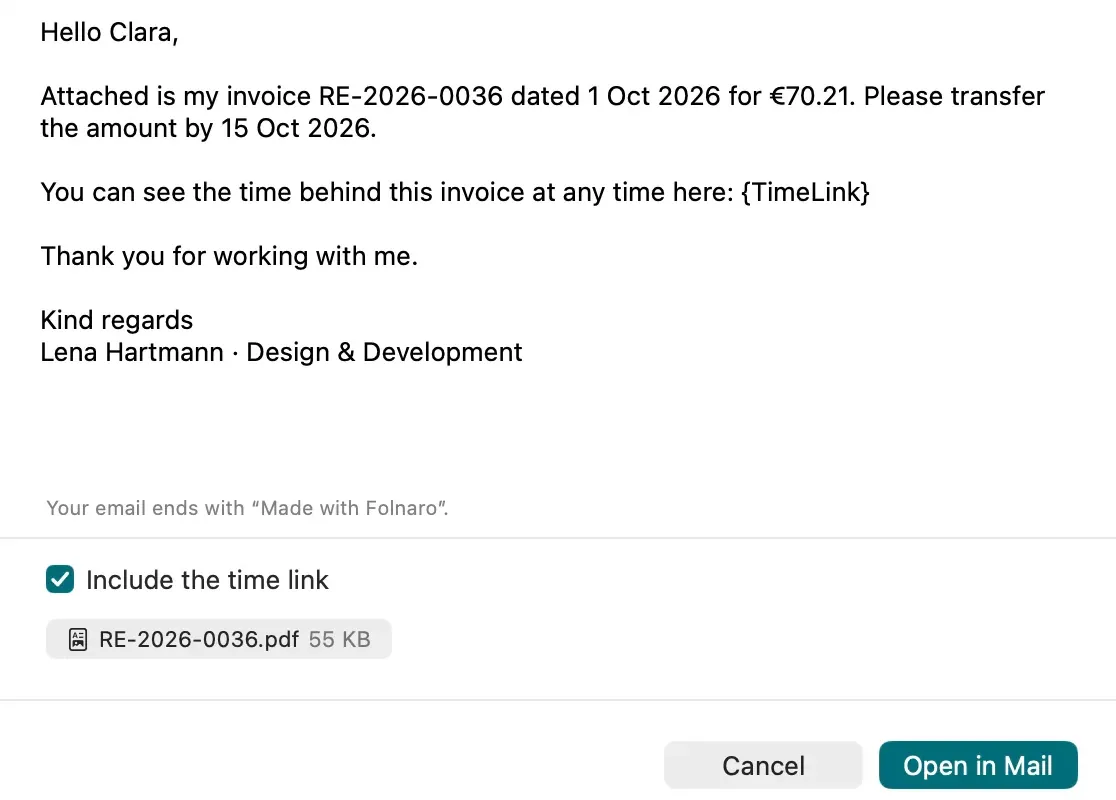
- As an email of its own
- Send by Email uses your account and the Time link template, in your customer’s form of address.
- Share and QR code
- Messages, AirDrop and your other services. Folnaro creates the QR code on your Mac.
- From the menu bar
- The link symbol copies the link of the customer whose timer is running.
- Copy with ⌥⌘L
- For a chat or a message, also under Edit > Copy Time Link.
04 Time link
Encrypted before it leaves your Mac
Folnaro encrypts the time, your name and everything else on your Mac. The key is in the link after the # sign, and a browser never sends that part to a server. The service only stores encrypted data and can’t read the time.
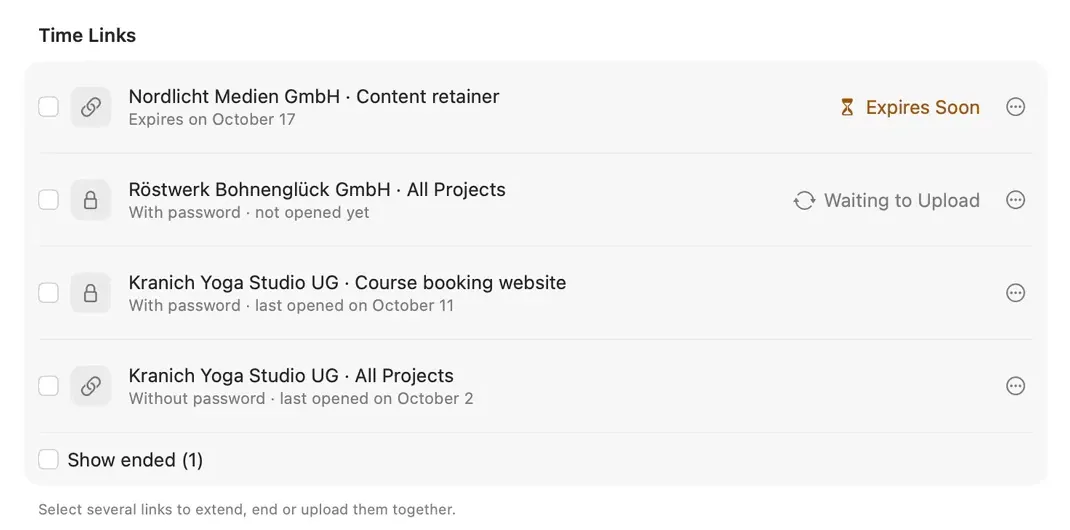
- Password by another way
- If you like, with a password of four words and two digits. It is never in the email with the link.
- You only see the day
- On which day your customer last opened the link. No time, no address, no count.
- Ends on its own
- When no new time comes in for 90 days, the link ends. You can also pick a fixed date or no end.
- Renew or end
- If the link reached someone who shouldn’t have it, you replace it with one click.
05 Time link
For the files: CSV and PDF
When your customer needs the time for their bookkeeping, they take it with Download CSV. Save as PDF prints the page through their browser in a compact layout, with every entry in one table.
- No account, no app
- Your customer opens the link in any browser. The page sets no cookies and loads nothing from third parties.
- Not to be found
- The link contains no name, its secret part can’t be guessed, and search engines don’t index the page.
What the service stores
Only what the page needs: the encrypted time, when it was last uploaded, until when the link is valid and on which day it was last opened. It is stored in the EU. After a change, Folnaro uploads the new state, at most every 15 minutes per link.
When a link ends, the service deletes the time at once and only keeps your encrypted name, so the page can show that the link is no longer valid. After twelve months that is deleted too.
What you should know
The link works for anyone who has it. If your customer forwards it or it sits in a browser history, someone else can see the time. Some companies have links in emails opened by a security service. For sensitive time, set a password.
The encryption protects the stored time. It is decrypted in your customer’s browser, by the page the service delivers at zeiten.folnaro.app. That page loads only its own code. So you trust that Folnaro does not change this code to read the time.
Why it matters
Almost every customer asks at some point how many hours have come together. Usually in the middle of a week when you have no head for a time sheet. With a time link the answer is already there, calculated as on your invoice. That builds trust, and at the end of the month the invoice surprises no one.
Good to know
Time links belong to your data. They are kept up to date after the trial too, and you can keep creating new ones. Your customer pays nothing and needs no account.
What the law asks for
You are responsible for your customers’ data. The service stores it on your behalf under Art. 28 GDPR. For that, you accept once, before your first link, the data processing agreement Folnaro shows you. What is stored and for how long is in the privacy policy.
Questions
Does the time link cost extra?
Does my customer see a new entry right away?
Can I give a customer several links?
Read more in the help
Goes well with
Try it with your own numbers.
The first 30 days are free, with every feature. You don’t need an account with us and you enter no payment details. After that you buy Folnaro once or take a subscription. And if you don’t, everything you created stays readable and exportable.