

Why you do not change an invoice you sent
Once an invoice reaches your customer, it is part of your books and of theirs. Section 146 (4) of the German Fiscal Code (AO) says a record must not be altered in a way that hides its original content. The GoBD, the tax administration’s rules for digital bookkeeping, apply this to software: what has been recorded stays traceable.
For you this means: you do not open the old file, change a number and send it again under the same number. You write a new document that refers to the old invoice, and both stay in your records.
As long as an invoice is still a draft that nobody has received, you are free to edit it.
Cancellation invoice or invoice correction
There are two ways, and the right one depends on the mistake.
| Situation | Way |
|---|---|
| Wrong customer, wrong service period, the invoice should never have existed like this | cancellation invoice, then a new invoice |
| A discount agreed later, one line item too many, fewer hours than billed | invoice correction for the change |
| A missing or wrong detail, such as the service date or the VAT ID | a correction with the right details, in Folnaro a cancellation invoice with a corrected copy |
| You want to bill something extra | a new invoice |
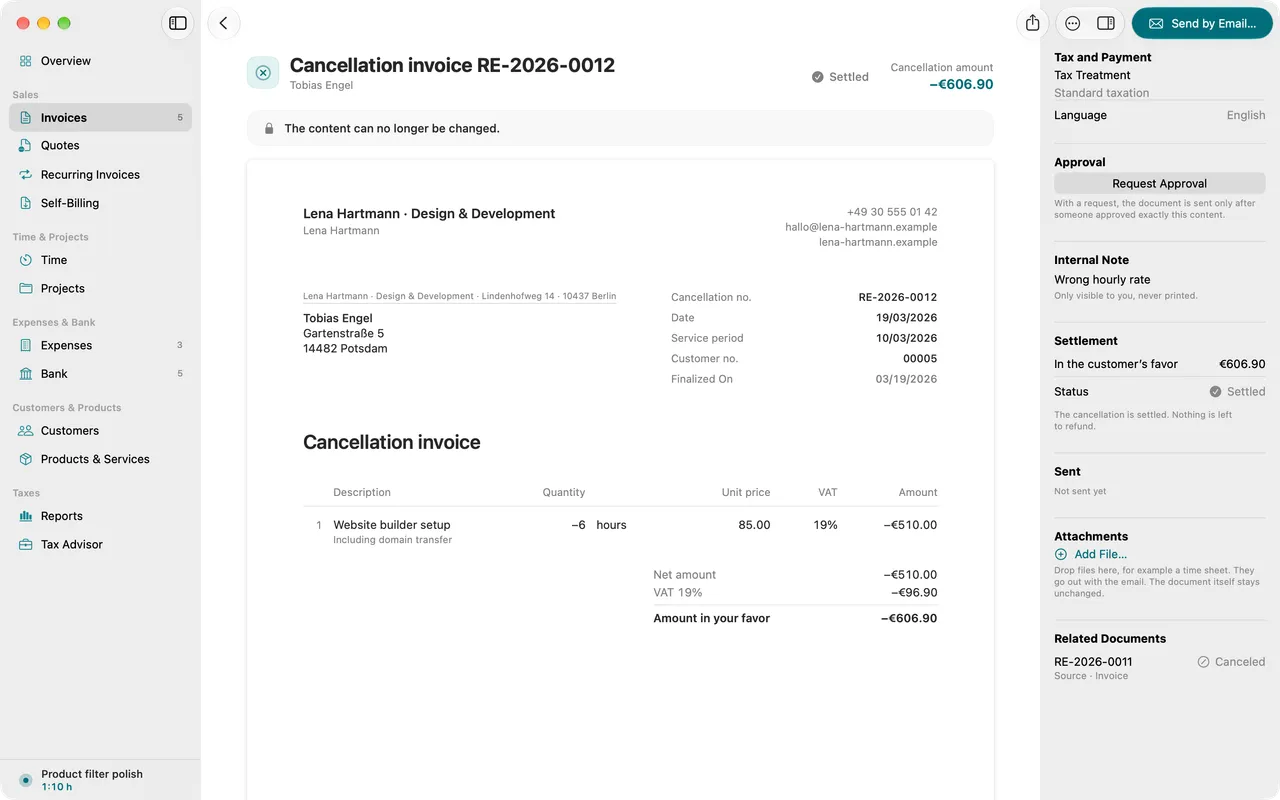
A cancellation invoice (Stornorechnung) reverses the original invoice completely. It repeats every line item with the opposite sign, so both documents add up to zero. Then you write a new, correct invoice with a new number.
An invoice correction (Rechnungskorrektur) changes only what was wrong. Section 31 (5) of the VAT implementing ordinance (UStDV) allows exactly that: only the missing or incorrect details need to be sent, in a document that refers specifically and unambiguously to the invoice. That document has to meet the same requirements of form and content as an invoice, so state the number and date of the original invoice.
Why a correction is not called Gutschrift
In everyday German, people say “Gutschrift” when they give money back. In the VAT Act the word means something else: a Gutschrift is an invoice your customer issues for a service you provided to them, when you agreed on that beforehand (section 14 (2) sentence 5 UStG). On such a self-billing invoice the word „Gutschrift“ is even mandatory (section 14 (4) sentence 1 no. 10 UStG).
If your correction carries the title “Gutschrift”, it can be read as such a self-billing document. In the worst case you end up with a document showing VAT you were not entitled to issue, and a tax debt under section 14c UStG. So title it „Rechnungskorrektur“ or „Stornorechnung“.
When the VAT was wrong
If you showed too much VAT, for example 19 % instead of 7 %, you owe the difference to the tax office (section 14c (1) UStG). You can correct it towards your customer; section 17 (1) UStG applies accordingly. In practice you send an invoice correction, or you cancel and invoice again, and correct the tax in the period of the correction.
If you showed VAT although you were not allowed to at all, you owe it as well (section 14c (2) UStG). Here a correction is only possible once there is no risk to tax revenue, meaning your customer has not deducted the input tax or has paid it back. You apply for it in writing at the tax office. In such cases your tax advisor helps.
Money back and open amounts
On paper, a cancellation invoice or correction gives your customer money back. Whether money actually moves depends on what they have paid:
- If the invoice is still open, the correction simply reduces the amount due.
- If they have paid more than they now owe, you transfer the rest back.
- If nobody paid and you cancel, everything is settled.
This guide explains the rules in general and does not replace advice from a tax advisor.
